Product Overview
| Product Name | GoPro Mission 1 Pro Compact Cinema Camera Grip Edition |
| Sensor & Processor | 50MP 1″ Sensor + GP3 Processor |
| Lens & Design | Ultra-Wide 159° Fixed Lens with Integrated Grip |
| Video Recording | 8K60, 8K30, 4K240, 4K120 & 1080p960 |
| Open Gate Capture | 4:3 Open Gate Recording at up to 4K120 |
| Color & Image Quality | HDR, 10-Bit, GP-Log2, Enhanced Low-Light & Dynamic Range |
| Audio & Synchronization | 32-Bit Float Audio + Timecode Sync |
| Build & Display | Waterproof up to 66 ft + Larger OLED Display |
| Performance & Imaging | Improved Runtime & Thermal Performance + RAW Capture + Burst Shooting up to 60 fps |
The GoPro MISSION 1 PRO Compact Cinema Camera Grip Edition is a rugged, professional-grade compact cinema camera designed for creators who need high-resolution video, flexible shooting options, and reliable performance in demanding environments. Built around a 50MP 1-inch sensor and GP3 processor, the camera delivers detailed imagery, improved low-light performance, and enhanced processing capabilities in a compact form factor.
The camera supports advanced video recording including 8K60, 4K240, and 1080p960, while its 4:3 Open Gate recording enables greater flexibility for reframing and post-production. With HDR, 10-bit color, GP-Log2, and up to 14 stops of dynamic range, creators can capture footage with rich details and greater color-grading flexibility.
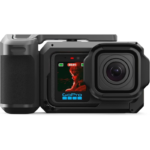
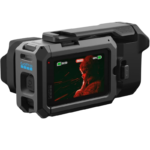
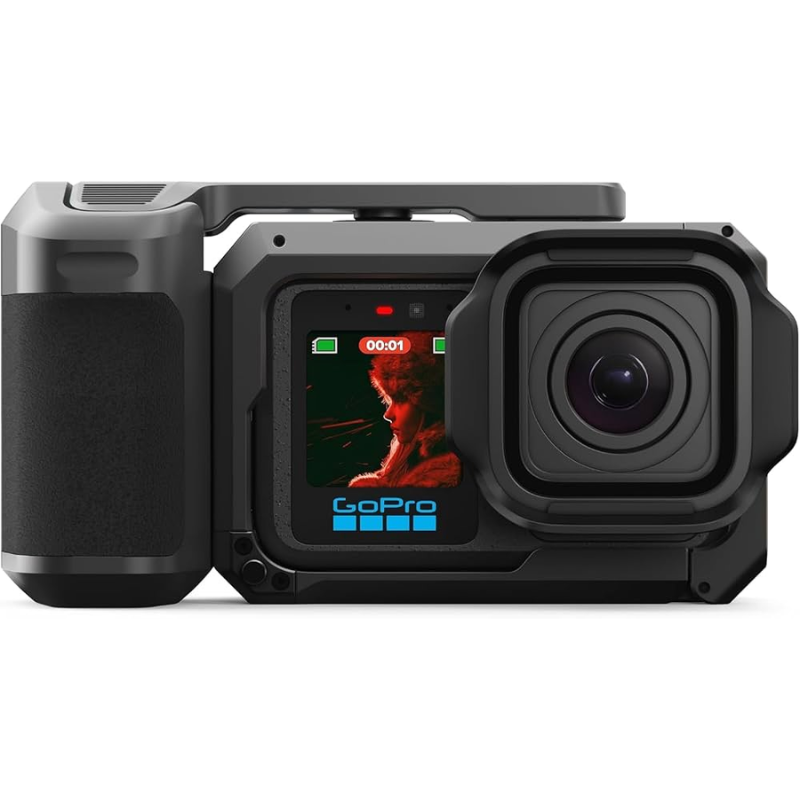
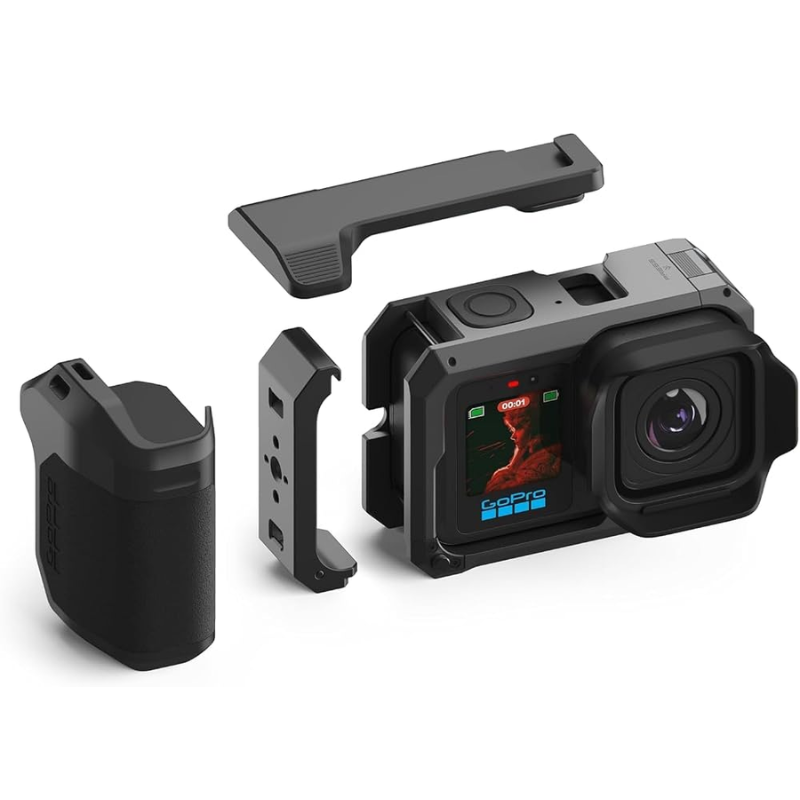
The included 2-in-1 Point-and-Shoot Grip provides comfortable one-handed operation while also functioning as a rugged metal cage. Multiple mounting options, including cold shoe mounts, 1/4″-20 threads, magnetic latch compatibility, and foldable 2-prong fingers, make it easy to build a customized shooting setup.For audio, the camera features four integrated microphones, stereo recording, wind-noise reduction, and 32-bit float audio recording to help preserve sound quality during dynamic recording situations. With 13 creative capture modes, enhanced stabilization, underwater-oriented shooting options, and Vlog-focused features, the MISSION 1 PRO is designed for filmmaking, travel, action, vlogging, and professional content creation.Its rugged construction and waterproof rating up to 66 ft allow it to perform in challenging environments, while improved runtime and thermal performance help support longer recording sessions.
Captures highly detailed photos and video with improved low-light performance and dynamic range.
Record cinematic footage up to 8K60, with additional high-frame-rate options including 4K240 and 1080p960.
Provides a larger capture area for flexible reframing and post-production workflows.
The fixed 14mm-equivalent lens provides an expansive field of view for immersive action and environmental shots.
Works as an ergonomic handgrip and protective metal cage with multiple mounting options.
Provides greater color information and flexibility for professional color grading.
Improved sensor and processing help deliver cleaner footage in challenging lighting.
Preserves more detail across bright highlights and darker areas.
Helps prevent audio clipping while maintaining greater flexibility during post-production.
Captures stereo audio while noise reduction helps minimize wind interference.
Provides dedicated shooting modes for different activities, environments, and creative styles.
Built to handle underwater and challenging outdoor shooting without additional housing.
Fully charge the camera battery before your first shooting session.
Install a compatible memory card with sufficient storage for high-resolution recordings.
Secure the Point-and-Shoot Grip to the camera and check that the connection is properly locked.
Turn on the camera and configure the required video, photo, audio, and stabilization settings.
Choose the appropriate creative or recording mode according to your shooting environment.
The GoPro MISSION 1 PRO Compact Cinema Camera Grip Edition combines high-resolution cinema recording, professional imaging controls, advanced audio capture, creative shooting modes, and rugged durability in a compact camera system. Its 50MP 1-inch sensor, 8K recording, 4:3 Open Gate capability, 10-bit GP-Log2, 32-bit float audio, 2-in-1 grip, and 66 ft waterproof design make it a versatile choice for filmmaking, action content, travel, underwater shooting, and professional vlogging.
| Specification | Details |
|---|---|
| Product Name | GoPro Mission 1 Pro Compact Cinema Camera Grip Edition |
| Sensor | 50MP 1-inch Sensor |
| Processor | GP3 Processor |
| Lens | Ultra-Wide 159° Fixed Lens |
| Camera Design | Compact Cinema Camera with Integrated Grip |
| Maximum Video Resolution | Up to 8K Video Recording |
| 8K Recording | 8K at up to 60fps |
| Open Gate Recording | 4:3 Open Gate Capture up to 4K120 |
| 4K Recording | 4K at up to 240fps |
| Slow-Motion Recording | 1080p at up to 960fps |
| HDR Support | HDR Video Recording for Enhanced Highlights and Shadows |
| Color Depth | 10-Bit Video Recording |
| Log Profile | GP-Log2 for Greater Color-Grading Flexibility |
| Timecode Sync | Built-in Timecode Synchronization for Multi-Camera Workflows |
| Low-Light Performance | Enhanced Low-Light Capture with Improved Dynamic Range |
| Audio Recording | 32-Bit Float Audio Recording |
| Display & Durability | Larger OLED Display with Waterproofing up to 66 ft |
| Battery & Thermal Performance | Improved Runtime and Enhanced Thermal Performance |
| Photo & Burst Capture | RAW Image Capture with Burst Shooting up to 60fps |
In stock
Add to cart
In stock
Read more
In stock
Read more
In stock
Read more






Reviews
There are no reviews yet.