₹41,599.00 Original price was: ₹41,599.00.₹36,999.00Current price is: ₹36,999.00. inc. Gst
Product Overview
| Battery Capacity | 2420 mAh |
| Nominal Voltage | 14.76 V |
| Charging Voltage Limit | 17 V |
| Battery Type | Li-ion |
| Energy | 35.71 Wh@0.5C |
| Discharge Rate | 7C (typical) |
| Weight | Approx. 162 g |
| Operating Temperature | 5° to 40° C (41° to 104° F) |
| Charging Temperature Range | 5° to 40° C (41° to 104° F) |
| Supported Aircraft | DJI Avata |
| Charging Hub Input | 5–20 V, max 5 A |
| Charging Hub Output | 17 V |
| Recommended Charger | DJI 65W Portable Charger or other USB PD chargers |
| Charging Time | Approx. 47 mins (with DJI 65W Portable Charger) |
| Multi-Battery Charging | Supported via Charging Hub |
| Safety Features | Overcurrent, overvoltage, and overheating protection |
| Portability | Compact, lightweight design |
| Intelligent Power Management | Built-in monitoring for voltage, current, and temperature |
| Storage Recommendations | Keep in a padded, moisture-free environment |
| Flight-Ready Reliability | Ensures longer, stable, and safe flight performance |
Out of stock
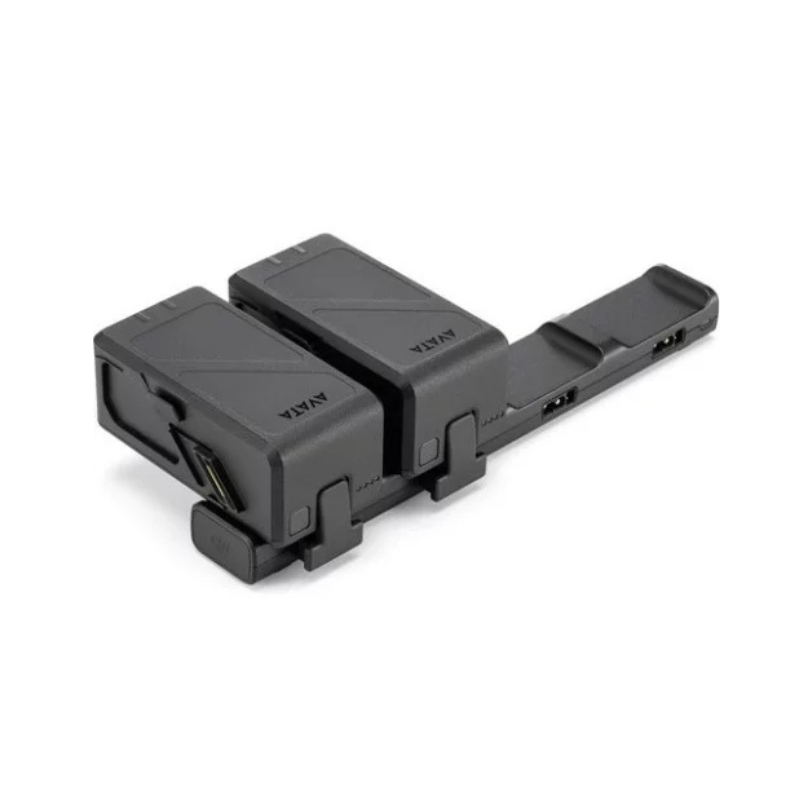
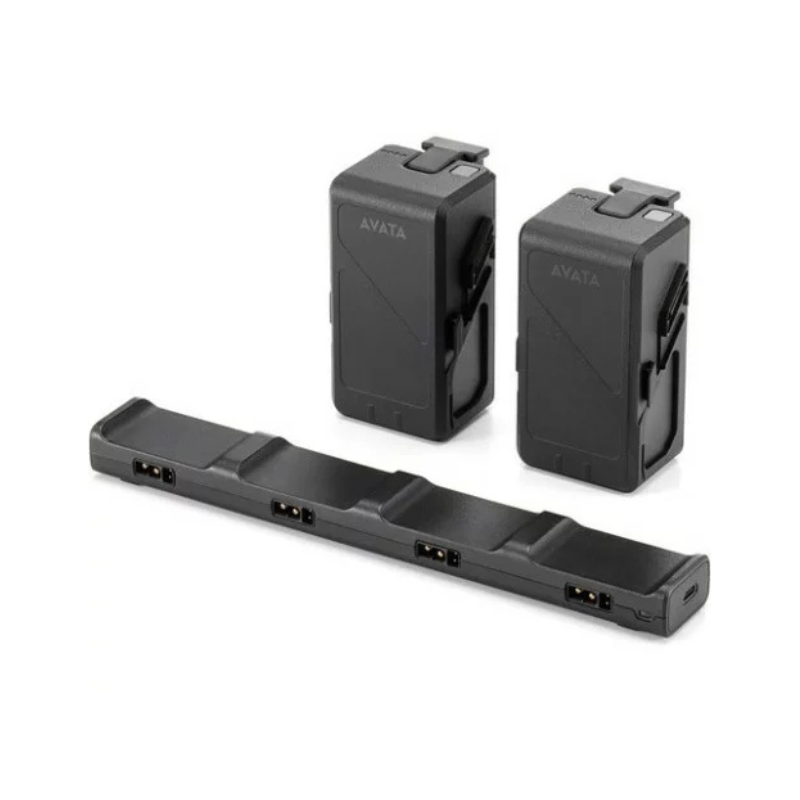
The DJI Avata Intelligent Flight Battery is designed to deliver reliable power for extended flights, keeping your drone ready for every adventure. Lightweight yet powerful, this Li-ion battery ensures smooth performance while maintaining safety and efficiency. Paired with the DJI Avata Battery Charging Hub, managing multiple batteries becomes easy and efficient, letting you focus on flying instead of worrying about power.
High-Capacity 2420 mAh Battery – Ensures longer flight times and steady power for uninterrupted drone performance.
Nominal Voltage of 14.76 V – Delivers consistent energy for stable flight operations.
Charging Voltage Limit of 17 V – Protects the battery from overcharging while maximizing power intake.
Energy Output of 35.71 Wh @ 0.5C – Provides sufficient energy for dynamic maneuvers and demanding flight conditions.
7C Typical Discharge Rate – Handles rapid energy demands for smooth and responsive drone movement.
Lightweight Design – Approx. 162 g – Minimizes extra weight while providing robust power.
Wide Charging Temperature Range (5°–40° C / 41°–104° F) – Ensures reliable charging in varied environmental conditions.
Li-ion Technology – Offers stable, long-lasting performance and protection against common battery issues.
Compatible with DJI 65W Portable Charger or USB PD Chargers – Provides flexibility for fast charging anytime, anywhere.
Input Voltage 5–20 V, Max 5 A – Supports different charging sources for convenience.
17 V Output – Matches the battery’s requirements for efficient charging.
Approx. 47-Minute Charging Time – Rapidly powers your battery for minimal downtime (subject to temperature).
Operating Temperature Range 5°–40° C / 41°–104° F – Maintains safe and effective charging performance.
Compact and Portable Design – Ideal for charging multiple batteries on the go.
Attach the Battery to the Drone Properly – Align with the Avata’s battery slot and lock securely for stable flight.
Power On the Drone and Monitor Battery Status – Ensure full initialization and proper voltage levels before takeoff.
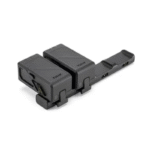
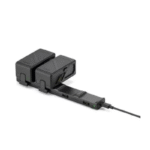
Insert Battery into Charging Hub Correctly – Connect with the recommended charger or compatible USB PD source.
Monitor Charging Process – Check LED indicators or app feedback to confirm successful charging.
Remove Battery Safely After Charging – Disconnect carefully to avoid accidental damage to connectors.
Store in a Cool, Dry Place – Avoid high temperatures or humidity to maintain battery life.
Avoid Exposure to Direct Sunlight – Prevents overheating and degradation of battery cells.
Use Only Recommended Chargers – Ensures safe and reliable charging without damaging the battery.
Regularly Inspect for Damage or Swelling – Replace immediately if any issue is detected to prevent hazards.
Keep Connectors Clean and Protected – Prevents corrosion and ensures efficient power transfer.
Do Not Operate in Extreme Weather – Protect your battery and hub from rain, snow, or excessive heat.
Avoid Short Circuits or Physical Damage – Mishandling can cause malfunction or safety hazards.
Charge in Well-Ventilated Areas – Prevents overheating and allows proper heat dissipation.
Keep Away from Children – High-voltage Li-ion batteries must be handled by responsible users.
Follow Manufacturer Guidelines – Adhere to DJI’s recommendations for maximum safety and performance.
The DJI Avata Intelligent Flight Battery and Charging Hub together provide reliable, safe, and efficient power management for your drone. With high capacity, rapid charging, and built-in protection features, you can focus on flying longer and exploring more. Keep your Avata powered, ready, and always mission-ready.
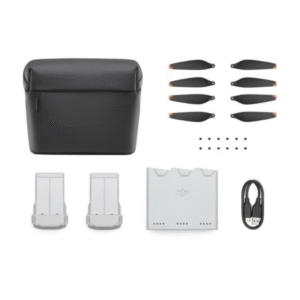
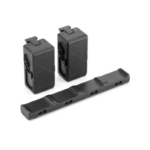
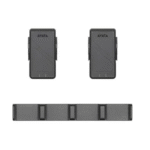
The battery Kit comes with 2 DJI Avata Intelligent Flight Batteries and 1 DJI Avata Battery Charging Hub, allowing prolonged power in the air and taking care of the management of your batteries.
This Battery Kit is fully compatible with the DJI Avata drone for flight performance, battery management, and monitoring.
The batteries take approximately 47 minutes to charge when using the DJI 65W Portable Charger or a compatible USB PD charger through the batteries' charging hub.
The batteries have a capacity of 2420 mAh, a nominal voltage of 14.76 V, an energy output of 35.78 Wh, and a weight of approximately 162 g. The discharge capacity is 7C.
With power management features for overcurrent, overvoltage, and overheating protection, the batteries also have built-in features to monitor voltage, current, and temperature to ensure safety.
When not in use, batteries should be stored in a padded, moisture-free environment at room temperature. When not in use for too long (in excess of 10 days), ideally store the batteries at a 50-60% charge level to prevent degradation.
Yes, the DJI Avata Battery Charging Hub supports any USB PD charger with a 5-20 V input (Max 5 A) and would work with any other similar chargers. However, for the best performance and safety, we recommend using the DJI 65W Portable Charger.
| Specification | Details |
|---|---|
| Battery Capacity | 2420 mAh |
| Nominal Voltage | 14.76 V |
| Charging Voltage Limit | 17 V |
| Battery Type | Li-ion |
| Energy | 35.71 Wh @ 0.5C |
| Discharge Rate | 7C (typical) |
| Weight | Approx. 162 g |
| Charging Temperature Range | 5°C to 40°C (41°F to 104°F) |
| Specification | Details |
|---|---|
| Operating Temperature Range | 5°C to 40°C (41°F to 104°F) |
| Recommended Charger | DJI 65W Portable Charger or other USB PD chargers |
| Input | 5–20 V, max 5 A |
| Output | 17 V |
| Charging Time | Approx. 47 mins (using DJI 65W Portable Charger, depends on temperature) |
In stock
Add to cart
In stock
Add to cart
In stock
Add to cart
In stock
Add to cart



Reviews
There are no reviews yet.