
₹17,924.00 Original price was: ₹17,924.00.₹13,924.00Current price is: ₹13,924.00. inc. Gst
Product Overview
| Display Screen | 9.66″ (1280×320) |
| Front Camera | 4K / 2.5K |
| Rear Camera | FHD 1080P |
| Split Screen | Yes (1:1) |
| Viewing Angle | 170° (front), 140° (rear) |
| Built-in Wi-Fi | Yes |
| GPS Logger | Yes |
| Loop Recording | Yes |
| G-Sensor | Yes |
| Night Vision | Yes |
| Motion Detection | Yes |
| Parking Monitoring | Yes |
| Reverse Assistance | Yes |
| Memory Support | 8GB–256GB TF Card (128GB recommended) |
| Power Input | 5V 2A, 12V car charger |
| Battery Capacity | 3.7V / 400mAh |
| Installation | Rubber mounts for rear view camera |
In stock
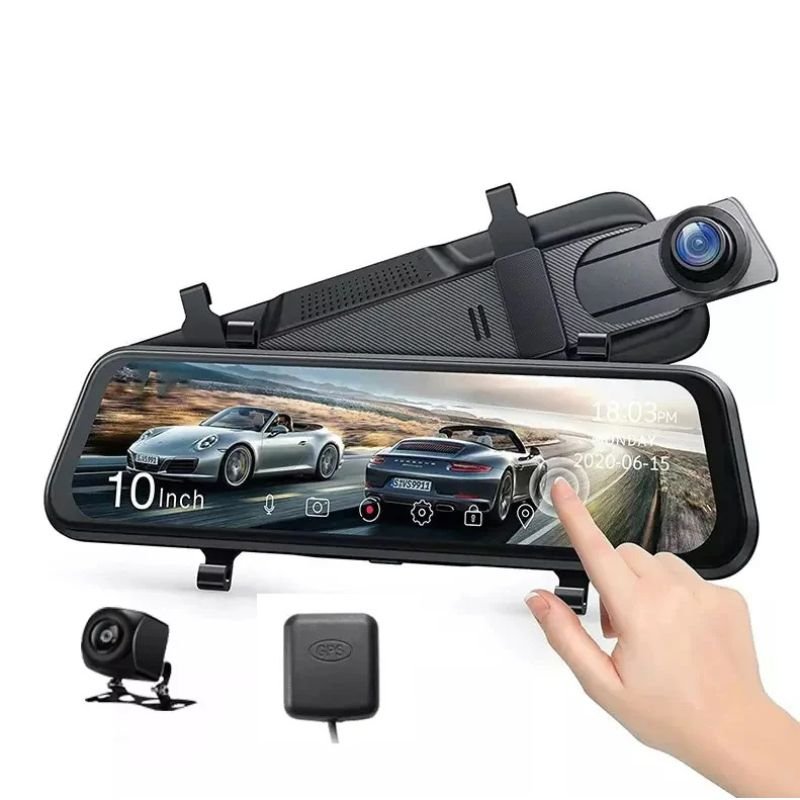
The D8 Dash Camera is not just a car accessory—it’s a fully loaded security system, driving assistant, and 24/7 witness built into a sleek rearview display. With ultra-sharp 4K front recording, 1080P rear coverage, wide-angle dual-lens setup, GPS tracking, motion detection, and a 9.66″ split screen, it’s designed for drivers who want to capture every detail with style and intelligence. Whether you’re cruising down highways, navigating city traffic, or parked overnight, the D8 is your full-time co-pilot and digital guardian.
1.Massive 9.66-Inch Display with 1:1 Split Screen Capability
The D8 features a wide 9.66-inch display with a high-resolution output of 1280×320, offering a clear and expansive view of your footage in real-time. Thanks to its 1:1 split-screen mode, you can simultaneously monitor both front and rear camera feeds side-by-side, which is especially helpful while reversing, parking, or analyzing on-road incidents with more perspective and clarity.
2. Crisp 4K Front Recording with HDR Support
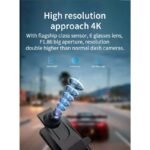
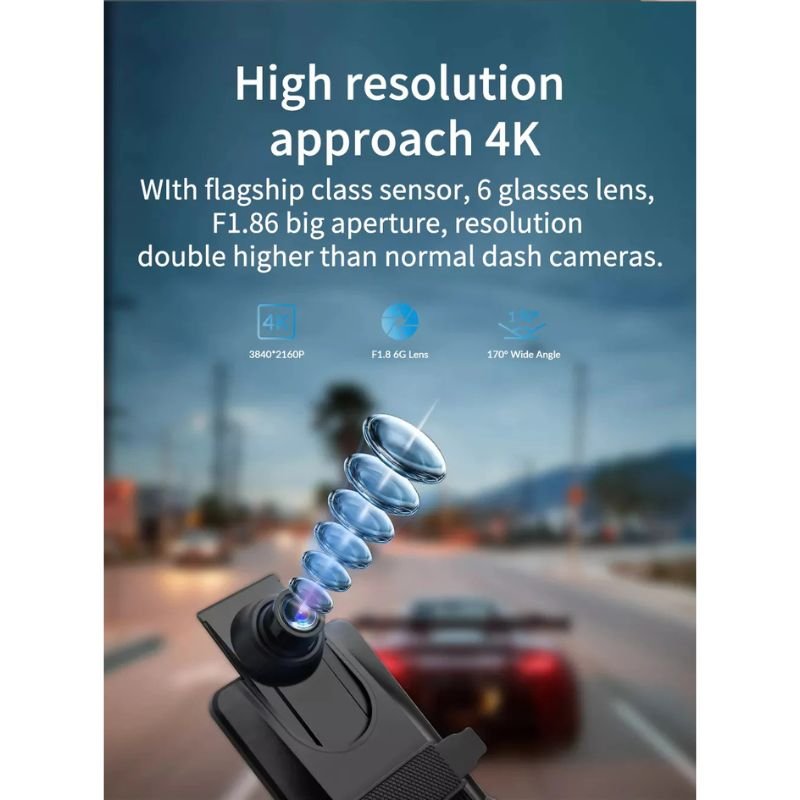
Equipped with a GC4663 HDR front lens, the D8 records at an ultra-detailed 4K resolution (3840×2160), with the option to switch to 2.5K (2560×1440) for optimized storage usage. The lens captures footage at 30 FPS using a 1/3″ sensor and 2.0μm pixel size, ensuring high brightness, sharp contrast, and vivid color accuracy even in high-speed or high-glare situations.
3. Full HD Rear Camera with 140° Wide Coverage
The rear camera records in Full HD 1080P resolution, capturing clear visuals of vehicles, pedestrians, or any incidents that occur behind you. With a wide 140° viewing angle and paired with the front camera’s 170° field of view, the D8 provides near-complete road coverage—minimizing blind spots and maximizing safety.
4. Smart HDR Lens and V536 Chipset for Enhanced Visual Performance
The combination of the GC4663 HDR lens and the V536 chipset delivers exceptional dynamic range and low-light performance. This means better video clarity during sunsets, tunnels, or harsh lighting transitions, and smoother video playback during fast motion events like overtakes or sudden stops.
5. Built-in Wi-Fi with App Integration for Instant Access
Forget about plugging and transferring files manually—the D8 features built-in Wi-Fi that connects directly to your smartphone. Use the compatible app to view live footage, replay clips, or download important recordings on the spot. Whether for insurance evidence or instant sharing, it’s all wireless and hassle-free.
6. GPS Logger for Route Tracking and Speed Records
With integrated GPS logging, the D8 tracks and stores your vehicle’s route, location, and speed data directly into your recordings. This adds a valuable layer of proof for fleet management, accident documentation, or long-distance travel logs, keeping your drive traceable and well-documented.
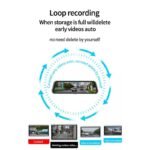
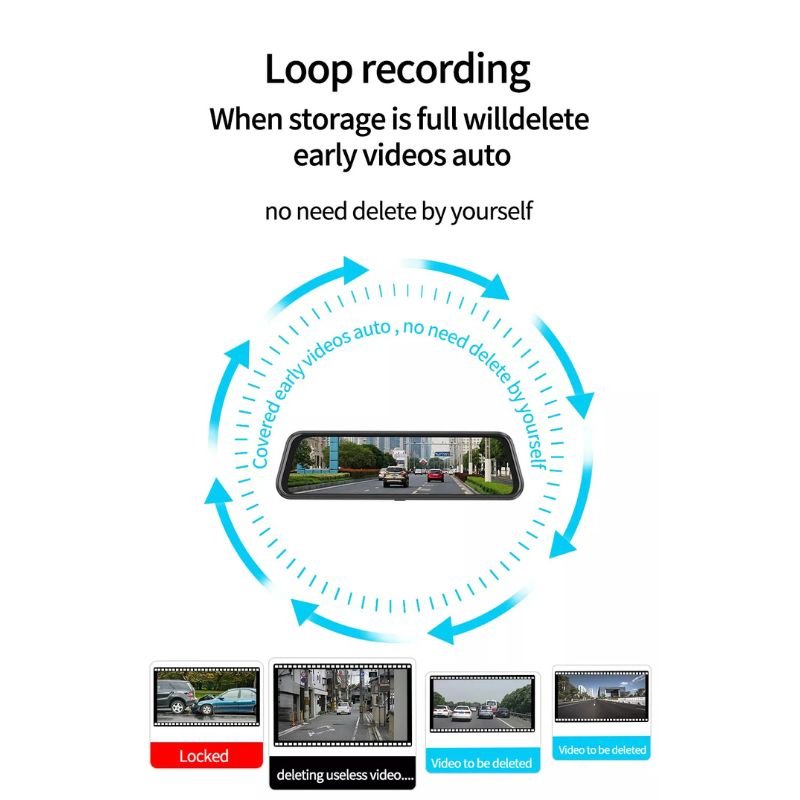
7. Automatic Loop Recording with G-Sensor Emergency Lock
The D8 uses loop recording to continuously save video without running out of memory. When the built-in G-sensor detects sudden acceleration, sharp braking, or impact, it automatically locks the footage to prevent it from being overwritten, ensuring that important evidence is always protected.
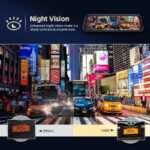
8. Superior Night Vision for Low-Light Performance
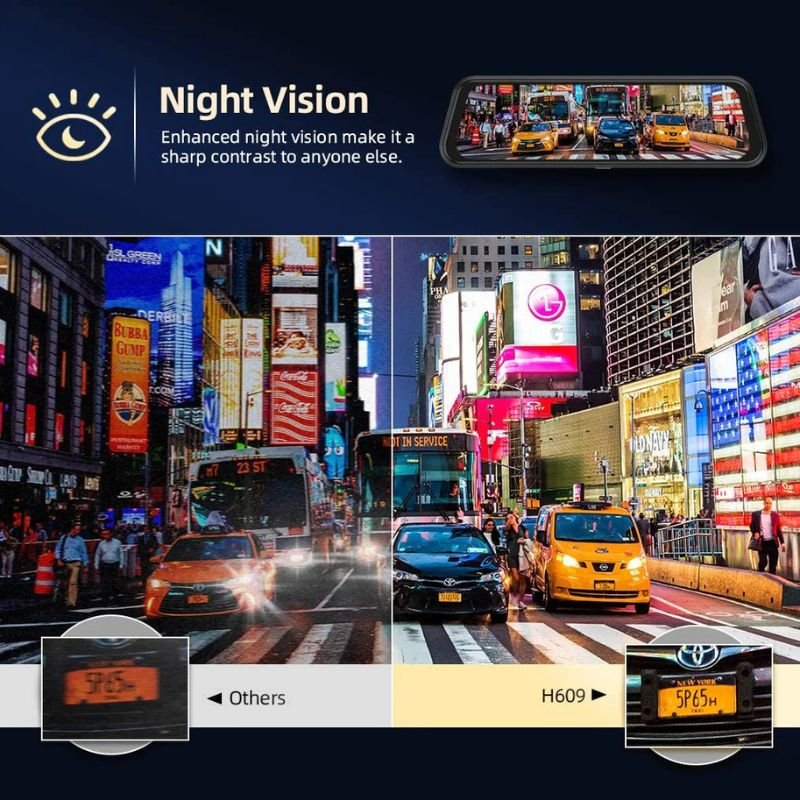
The D8 is designed to perform even in the darkest environments. Whether you’re driving through a poorly lit street or parking in a dim garage, the enhanced night vision ensures that every object and movement is recorded clearly, keeping your vehicle secure both day and night.
9. Motion Detection and Parking Surveillance Support
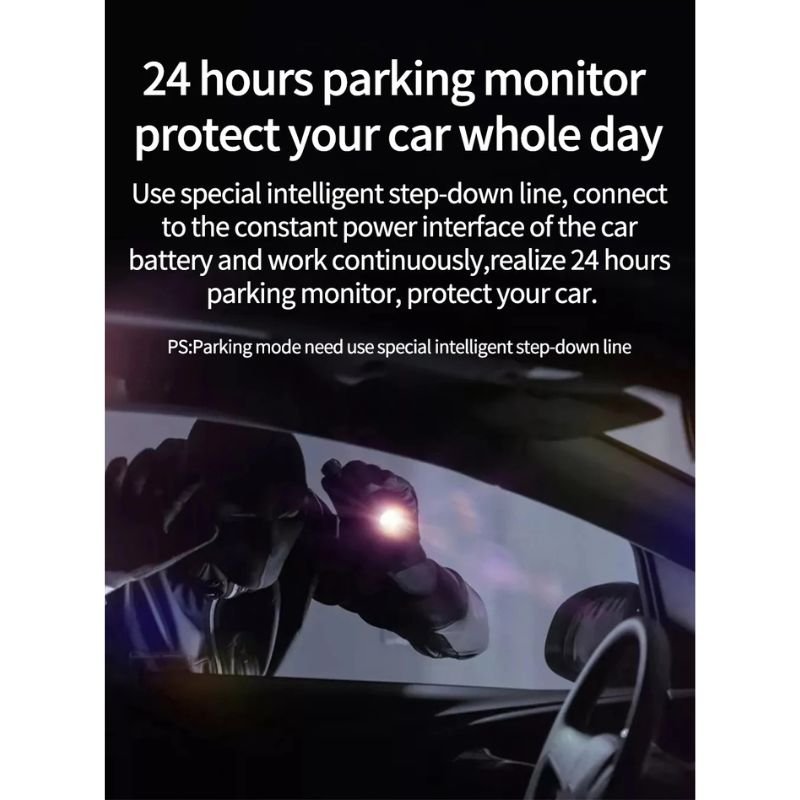
Even when the engine is off, the D8 remains on guard. It features Temp-Park Motion Record, which activates the camera when motion is detected near the car while parked. This helps capture hit-and-run incidents, attempted theft, or vandalism while you’re away from the vehicle.
10. Reverse Assistance with Real-Time Rear Display
With reverse assist, the D8 automatically displays the rear camera feed when the vehicle is in reverse. This helps you park with more accuracy, detect low-lying objects, or align with tight spots—all while viewing dynamic visual guidelines on the screen.
11. Expandable Storage up to 256GB TF Card
The D8 supports TF cards from 8GB to 256GB, with 128GB recommended for optimal performance. This gives you plenty of room for continuous 4K and 1080P recordings without constant card replacements. Important files are locked and preserved even during loop recording.
12. Long-Lasting Battery and Simple Power Integration
Powered by a 3.7V / 400mAh internal battery and compatible with 5V 2A car chargers (12V input), the D8 provides stable performance whether your vehicle is on or off. It also ensures short-term recording if the power is suddenly disconnected, protecting the last captured footage.
13. Slim Profile and Easy Rubber-Mount Installation
Despite its large screen, the D8 is just 9.8″ x 1.9″ x 1″ in size and weighs only 0.22 kg. It’s designed to blend seamlessly into your existing rearview mirror setup using secure rubber mounts. Installation is quick, tool-free, and requires no major adjustments or wiring.
1. True 4K Clarity That Captures Every Detail
Most dash cams promise HD; the D8 delivers true 4K resolution, helping you record fine details like number plates, road signs, or distant objects with incredible sharpness—ideal for both professional drivers and personal use.
2. Intelligent Dual View That Keeps You Fully Aware
With simultaneous front and rear monitoring on a split screen, you always have a complete view of your surroundings. Whether it’s a reversing assist or accident playback, the dual feed offers a fuller picture every time.
3. Smart Features Packed into a Sleek Design
The D8 combines modern tech like Wi-Fi, GPS, HDR, and motion detection into a streamlined design that doesn’t clutter your dash. It’s professional-grade recording in a minimalist form factor.
4. 24/7 Protection—Driving or Parked
Thanks to motion detection, G-sensor locks, and parking mode, your vehicle remains protected even when you’re not inside. It doesn’t just record accidents—it helps prevent them by giving you the visual data when and where it matters most.
5. App-Ready, Hassle-Free, and Always Connected
No more card readers or computer transfers. Just open the app, check the footage, and stay updated from anywhere. The D8 is designed for drivers who want a hands-free, always-on solution that works right out of the box.
1. Insert a TF Card Before Starting
Make sure to insert a TF card (up to 128GB supported) into the designated slot before turning on the dash camera. This ensures your video recordings are stored smoothly without interruption. For best results, format the card using the camera’s settings menu.
2. Mount the Dash Cam on the Windshield
Use the included 10.26-inch touchscreen unit’s adhesive mount to stick the camera onto the front windshield. Place it just behind the rearview mirror to get a wide, unobstructed field of view from the front camera.
3. Connect to Your Car’s Power Supply
Plug the device into your car’s 12V power socket. The camera turns on automatically with the ignition and starts recording instantly, saving you the hassle of manual operation every time you drive.
4. Link Your Phone via Built-In Wi-Fi
Turn on the built-in Wi-Fi feature to connect your smartphone. This allows you to view, download, or manage video footage directly through a compatible app, without needing to remove the memory card.
5. Activate 4G Monitoring with SIM Card
Insert a supported SIM card to enable real-time remote monitoring via 4G network. Using the connected app, you can watch live footage, use intercom functions, or receive tracking alerts anywhere, anytime.
1. Clean the Touchscreen and Lenses Regularly
Use a microfiber cloth to wipe the touchscreen and camera lenses gently to avoid smudges or dust. Regular cleaning improves visibility, especially for night-time footage or GPS-based navigation functions.
2. Avoid Prolonged Heat Exposure in Parked Cars
When parked in direct sunlight, cover your windshield or use a sunshade. Extended exposure to heat may impact the display, lens clarity, or internal circuits of the dash camera over time.
3. Keep the Firmware Updated via App
Regularly connect the camera to its companion app to check for firmware updates. New updates may improve video clarity, GPS precision, and remote monitoring capabilities through the 4G network.
4. Clear Out Old Footage Periodically
Even with loop recording, it’s important to back up or delete old videos to prevent accidental overwriting of critical clips. Manage your memory card space wisely to avoid data loss.
5. Handle with Care During Adjustments
When repositioning or removing the device, do it gently to avoid damaging the adhesive mount or internal parts. Rough handling may misalign the camera angle or affect the touchscreen’s sensitivity.
1. Route the Power Cable Neatly Along Edges
Secure the power cable inside your car’s interior lining or dashboard edges. This prevents it from dangling across your field of vision or interfering with driving controls.
2. Turn On the G-Sensor for Impact Detection
Enable the built-in G-sensor feature to ensure the camera locks and protects crucial footage during accidents or sudden impacts. This way, vital evidence won’t be deleted during loop recording.
3. Use Class 10 SD Cards for Better Performance
Choose a high-speed TF card (Class 10 recommended) for smooth 1080p video recording. This ensures faster write speeds, better compatibility, and more reliable storage during long drives.
4. Avoid Placing the Camera on Tinted Glass
Install the dash cam only on clear glass surfaces. Tinted or sun-controlled films can interfere with video brightness, making night recordings or license plate capture less effective.
5. Ensuthe re Rear Camera is Clean and Connected
Double-check that the rear camera is properly attached and free from dust or obstructions. A clean connection ensures better footage when reversing or recording back-end incidents.
1. Powerful Features in a Compact Touchscreen Unit
The D13 Dash Camera combines a 10.26-inch touchscreen, 1600×600 resolution, dual-channel support, and intuitive UI, giving you the feel of a smart infotainment system with all the protection of a dash cam.
2. Equipped for Modern Driving and Safety Monitoring
It features ADAS driver-assist alerts, GPS navigation, G-sensor, and a full-featured FM transmitter, making it ideal for city, highway, or fleet use where constant monitoring is necessary.
3. Enjoy 4G Live Monitoring and Remote Playback
With 4G support, you can monitor your car remotely through your phone. Ideal for parents, business fleet owners, or anyone who wants peace of mind while away from the vehicle.
4. Simple to Install and Easy to Operate
With an adhesive mount and touchscreen interface, installation and operation are a breeze. You don’t need to be tech-savvy—just plug in, power on, and it’s ready to record.
5. Best-in-Class Features Without Breaking the Bank
Despite its premium touchscreen and dual-camera setup, the D13 remains affordable. From built-in Wi-Fi and Bluetooth to ADAS alerts and remote monitoring, it offers unbeatable value for its price.
| Specification | Details |
|---|---|
| Display Screen | 9.66″ widescreen display with 1280×320 resolution |
| Front Camera Resolution | 4K (3840×2160) and 2.5K (2560×1440) options available |
| Rear Camera Resolution | Full HD 1080P resolution rear camera |
| Split Screen | Yes, with a 1:1 split screen feature for simultaneous front/rear view |
| View Angle | Ultra-wide 170° for front, 140° for rear |
| Lens Scheme | Front: GC4663 HDR (1/3″, 30 FPS, 2.0µm); Rear: V09 |
| Chipset | V536 powerful processing unit |
| Physical Dimensions & Weight | 9.8″ x 1.9″ x 1″ (L×W×T), 0.22 Kg (only screen weight) |
| Built-in Wi-Fi | Yes, direct hotspot connectivity with smartphone app support |
| GPS Logger | Yes, built-in GPS logs vehicle movement and location path |
| Loop Recording | Yes, continuous loop recording supported |
| G-Sensor | Yes, with auto impact detection and secure footage lock |
| Night Vision | Yes, high-clarity night recording in low-light conditions |
| Motion Detection | Yes, enables surveillance when motion is detected |
| Parking Monitoring | Temp-Park Motion Record mode for added vehicle security while parked |
| Reverse Assistance | Yes, a visual aid when reversing |
| Memory Card Support | Compatible with 8GB–256GB TF Cards (128GB recommended) |
| Power Interface | 5V 2A car charger input, compatible with 12V systems |
| Battery Capacity | 3.7V / 400mAh built-in rechargeable battery |
| Installation | Easy rubber mount installation on rear view camera |

In stock
Add to cart
In stock
Add to cart
In stock
Add to cart
In stock
Add to cart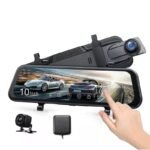

Reviews
There are no reviews yet.