
₹25,880.00 Original price was: ₹25,880.00.₹18,779.00Current price is: ₹18,779.00. inc. Gst
Product Overview
| Display Size | 12-inch Touch Screen |
| Video Resolution | Full HD 1080p (Dual Channel) |
| Camera Type | Dual Dashcam for Cars |
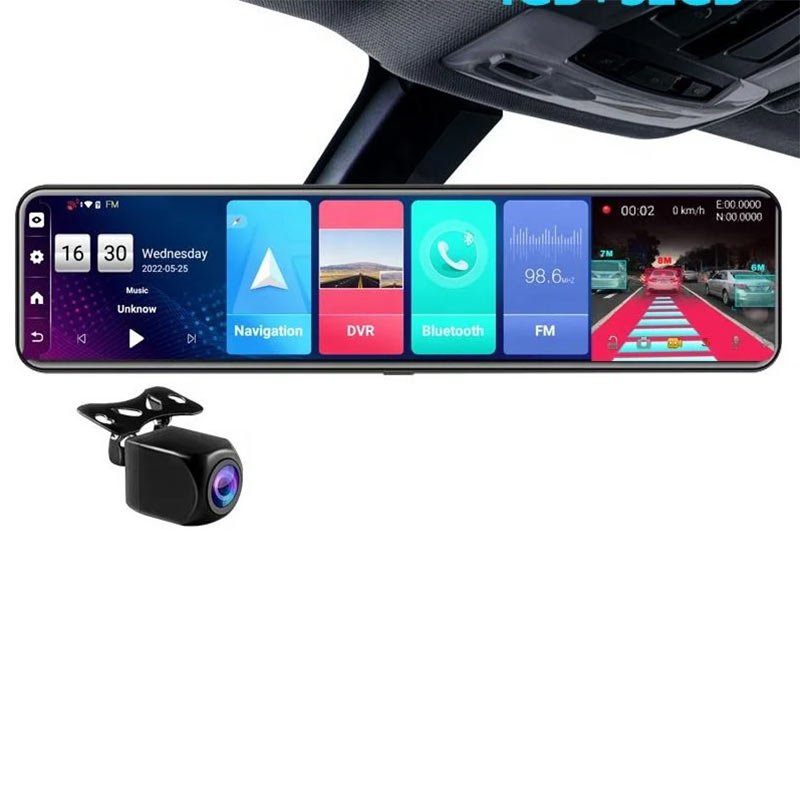
| Operating System | Android 8 with 4 GB RAM & 32 GB ROM |
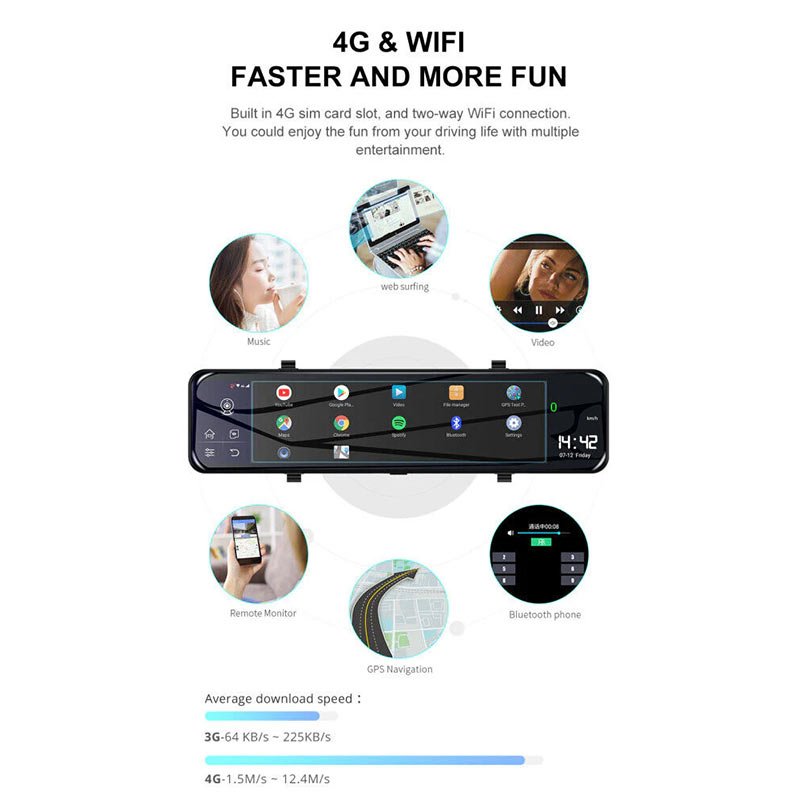
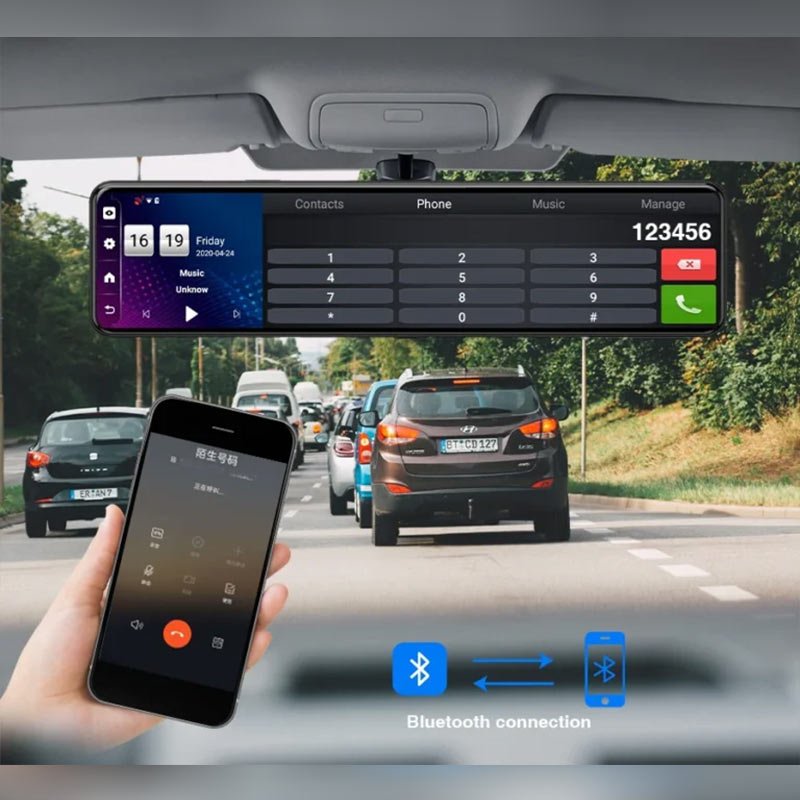
| Connectivity | Bluetooth, Wi-Fi, GPS, 4G SIM Support |
| Special Features | ADAS, G-Sensor, Parking Assist, Remote Monitoring, Triple Split Screen |
| Mounting Type | Adhesive Mount (Driver’s Side) |
| Included Components | Dash Cam, GPS, Rear Camera + Cable, Mounting Rubbers, Hardwire Kit, Manual |
| Storage | Supports SD Card |
| Colour | Black |
In stock
Drive smarter with the D4 Dash Camera – a compact and powerful dual-lens system designed to record your journey from both the front and rear. With full HD clarity, wide-angle lens coverage, and essential driving features like G-sensor protection, loop recording, and motion detection, the D4 ensures every second on the road is captured with precision. Whether it’s busy city traffic, narrow parking lanes, or sudden impacts, the D4 is built to record it all—day or night—with minimal distraction and maximum reliability.
1. Full HD 1080P Front + HD Rear Dual Recording
The D4 is equipped with a sharp 1080P front camera and a rear HD lens, giving you complete coverage from both ends of your vehicle. Whether you’re recording scenic road trips or navigating bumper-to-bumper traffic, this dash cam records both perspectives in stunning detail. It ensures critical evidence is available from both front and back in the event of an accident or dispute, making it your silent eyewitness on the road.
2. 170° Wide Front Lens and 120° Rear Lens Coverage
Eliminate blind spots with the D4’s ultra-wide-angle lenses. The 170° front camera provides a broad view of multi-lane roads, while the 120° rear camera keeps a watchful eye on what’s behind. This generous field of view helps you monitor cross-traffic, lane changes, and tailgating with precision, perfect for busy city driving or high-speed highway cruising.
3. 2.4-Inch TFT HD Display with Real-Time Preview
Compact yet functional, the built-in 2.4-inch TFT screen provides a clear, live view of your recordings. Easily switch between camera angles, access menu settings, and review footage instantly without removing the memory card. The screen is bright, sharp, and designed to be non-distracting while driving, giving you essential visual feedback in a minimal footprint.
4. Powerful Night Vision for Low-Light Recording
When the sun goes down, the D4 steps up. With its advanced 1054A 6-glass lens on the front and optimized rear optics, it delivers bright and balanced footage even in challenging lighting conditions. Capture license plates, pedestrians, and road signs at night with confidence—no more blurry or darkened videos when you need them most.
5. Built-In G-Sensor for Collision Detection and File Locking
In the event of a collision, sudden brake, or sharp turn, the integrated G-sensor kicks in to automatically lock and protect the current footage. This ensures that vital evidence isn’t overwritten or lost during loop recording. Whether it’s a major crash or a small fender bender, the D4 protects the clips that matter the most.
6. Loop Recording That Never Misses a Moment
The D4 Dash Camera supports continuous loop recording, meaning it will overwrite the oldest, non-protected video files when your storage card is full. This feature keeps the camera running without manual intervention and ensures uninterrupted recording, great for long-distance drivers and daily commuters alike.
7. Motion Detection for Parking and Idle Security
When your vehicle is parked, the D4’s motion detection feature acts like a silent guard. If movement is detected around the car, the dash cam wakes up and begins recording, capturing potential threats or incidents when you’re not around. It’s ideal for monitoring parking lot mishaps, suspicious activity, or even just ensuring peace of mind while you’re away from the car.
8. Picture-in-Picture Mode for Split-Screen Viewing
Monitor both camera views in one go with the Picture-in-Picture feature. This allows you to display the front and rear video feeds simultaneously on the screen. Whether you’re reversing, checking blind spots, or simply reviewing footage, you’ll get the complete picture without toggling between views.
9. Rear Camera with Backup Guidelines for Safer Parking
The D4 rear camera isn’t just for recording—it also provides helpful visual guidelines when reversing. Whether you’re parallel parking in tight spots or backing into a dark driveway, this function adds an extra layer of safety and control, especially useful for larger vehicles or new drivers.
10. Simple Suction Mount Design for Quick Setup
Installing the D4 Dash Cam is quick and painless thanks to its user-friendly suction mount. Just attach it to the windshield, connect the power cable, and you’re ready to record. No drilling, wiring, or complicated setup—ideal for anyone who wants hassle-free protection on the road.
1. Sleek Design Packed with Big Features
The D4 might look compact, but don’t be fooled—it’s loaded with premium features that outperform many larger and pricier models. It fits discreetly behind your mirror and blends into your dashboard setup while delivering the kind of performance that’s trusted by experienced drivers and first-timers alike.
2. Day and Night Clarity You Can Count On
Whether it’s a sunny highway or a rainy evening alley, the D4 captures your drive in bright, clear video. The high-quality front lens and night-ready rear camera ensure no detail is missed—helping you spot everything from license plates to roadside hazards in any lighting.
3. Trustworthy Parking Surveillance Around the Clock
With motion detection and automatic recording, the D4 watches over your vehicle even when you’re not in it. If someone bumps your car or lingers near it while parked, the dash cam records the event instantly, offering peace of mind and potential evidence when you’re away.
4. Ample Storage with Smart Video Management
Supporting TF cards up to 128GB, the D4 ensures plenty of space for long road trips and continuous driving. Its intelligent loop recording feature ensures you never have to manually delete files—just insert the card, and the system handles the rest efficiently and securely.
5. Designed for Drivers Who Don’t Want to Compromise
From the moment you install it, the D4 becomes a part of your driving routine. It powers on with your ignition, records automatically, and runs silently in the background. There’s no need for constant adjustment or interaction—just turn the key and let it do its job.
Install with Precision
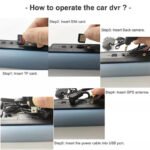
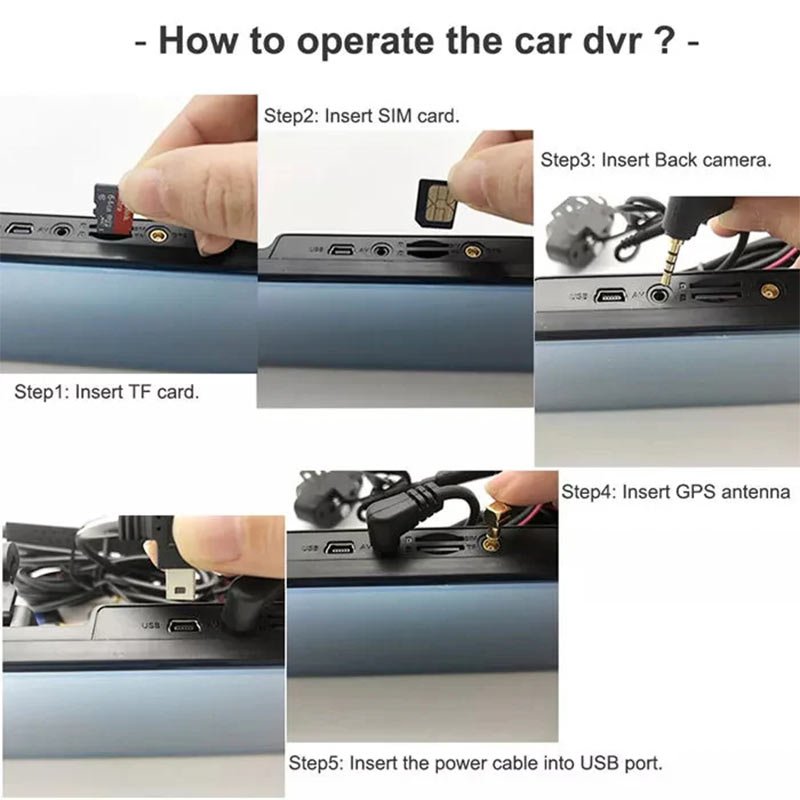
Stick the D4 dash cam on the driver’s side using the adhesive mount provided. Connect the rear camera with the included cable and ensure the hardwire kit is attached to your car’s fuse box for seamless power delivery.
Activate the System
Power on the device once your vehicle starts. The Android 8 interface with 4GB RAM boots quickly, giving you access to live feeds, remote monitoring, GPS, ADAS, and much more via the large 12-inch touch screen.
Configure Triple Split Screen
Navigate to the split screen mode to monitor front and rear views simultaneously. This triple-view mode allows you to track all angles clearly while driving or reversing.
Insert a 4G SIM for Smart Connectivity
Slide a compatible 4G SIM into the slot to enable real-time remote access, live tracking, and cloud video backups. Combine it with Wi-Fi and GPS for a full smart monitoring suite.
Adjust ADAS and G-Sensor Settings
Activate driver-assist features like lane departure alerts and forward collision warnings using the system menu. Set the G-Sensor sensitivity based on how bumpy your daily commute usually is.
Avoid Direct Sunlight Exposure
When parked, use windshield sunshades to prevent overheating the screen or melting adhesive. Prolonged exposure may damage the display and internal circuits.
Regularly Format the SD Card
To keep recordings clean and prevent data corruption, format your SD card every 2–3 weeks directly from the system settings.
Keep Lenses Spotless
Use a soft microfiber cloth to gently clean the front and rear camera lenses weekly. Avoid using any liquid cleaners or alcohol-based solutions that can scratch or damage them.
Software Updates Matter
Check monthly for firmware updates via Wi-Fi to get new features and bug fixes. Updated software improves performance and long-term stability.
Handle Wiring with Care
Don’t yank or stretch the rear camera wire while adjusting. Coil any extra length neatly under your car’s trim using clips to prevent damage or short circuits.
Don’t Operate While Driving
Avoid touching or operating the touch screen while on the move. Set your preferences before you start the engine to keep your eyes on the road.
Secure All Mounts Firmly
Make sure the adhesive and mounting rubbers are tight and correctly placed. A loose camera may fall during motion and distract or obstruct your view.
Watch for Firmware Errors
If the screen freezes or restarts randomly, don’t ignore it. Perform a soft reset or reformat the SD card. Consistent issues could signal faulty software needing attention.
Respect Local Privacy Laws
Check the laws in your area regarding recording audio or people in public. Some regions may have restrictions on video/audio surveillance.
Unplug During Long Storage
If the vehicle won’t be used for weeks, disconnect the dash cam from the hardwire kit to prevent battery drain or unwanted device heat-up.
Perfect for Modern Smart Cars
With Android 8, 4GB RAM, and 32GB ROM, the D4 dash cam offers a mobile-like interface built for smooth, responsive use—ideal for anyone wanting a high-tech driving companion.
All-Angle Monitoring in One Screen
Triple split screen, 12-inch touchscreen, and dual full HD cameras ensure you see everything around your car without additional monitors or screens.
Built-in Navigation and Safety
GPS tracking, Bluetooth, Wi-Fi, and ADAS assist you with real-time positioning, driving alerts, and even reverse parking, making it a solid safety tool.
Ideal for Daily City and Highway Use
Whether you’re navigating through chaotic city traffic or cruising down highways, the G-sensor, parking monitor, and wide camera angles give you peace of mind.
Professional Mounting with DIY Ease
Everything you need is in the box—rear camera, cables, GPS, mount, and rubbers. It’s easy to install and powerful enough for long-term use in any car.
Can I use my mobile hotspot for internet instead of a SIM card?
Yes, you can connect the D4 Dash Camera to a mobile hotspot using its Wi-Fi feature if you prefer not to insert a SIM. However, for 24/7 cloud access, a 4G SIM is recommended.
How much SD card storage is supported?
The dash cam supports SD cards up to 128GB. It’s best to use a high-speed Class 10 SD card to ensure smooth video recording and loop recording features.
Does the camera work while the car is parked?
Yes, with the hardwire kit installed, the dash cam supports parking monitoring, which keeps recording even when the ignition is off, detecting motion or impact.
What is the ADAS feature, and how does it help?
ADAS (Advanced Driver Assistance System) alerts you to lane departures, forward collisions, and risky driving behavior, improving road safety by keeping you informed.
Can I view footage remotely on my phone?
Absolutely! Once connected via 4G SIM or Wi-Fi, you can remotely access live footage, location, and even download recorded clips using the dedicated mobile app.
| Specification Category | Details |
|---|---|
| Product Dimensions | 2 x 29 x 7 cm |
| Model Number | Android dashcam for cars |
| Flash Memory Type | SD |
| Compatible Devices | Car |
| Display Size | 12 Inches |
| Display Type | Touch Screen |
| Video Capture Resolution | 1080p (Full HD Dual Channel) |
| Operating System | Android 8 |
| Internal Storage | 4 GB RAM, 32 GB ROM |
| Connectivity Technology | Bluetooth, Wi-Fi, GPS, 4G SIM Support |
| Special Features | 12 Inch Touch Screen, Triple Split Screen, Remote Monitoring, ADAS, G Sensor, Parking Assist |
| Mounting Type | Adhesive Mount (Driver’s Side) |
| Mounting Hardware | Android Dash Camera, GPS, Mounting Rubbers, Rear Camera with Cable, Hardwire Kit, User Manual |
| Colour | Black |
| Included Components | Android Dash Camera, GPS, Rear Camera with Cable, Mounting Rubbers, Hardwire Kit, User Manual |
| Vehicle Service Type | Car |
| Connector Type | Bluetooth, Wi-Fi, GPS |
| Device Type | Dual dashcam for cars |

In stock
Add to cart
In stock
Add to cart
In stock
Add to cart
In stock
Add to cart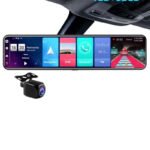

Reviews
There are no reviews yet.