
₹10,434.00 Original price was: ₹10,434.00.₹7,434.00Current price is: ₹7,434.00. inc. Gst
Product Overview
| Display | 4.0-inch touch screen |
| Front & Rear Camera | HD 1080P (Front), HD (Rear) |
| Lens Angle | 170° (front), 120° (rear) |
| Night Vision | Yes, advanced night vision for clear low-light recording |
| G-Sensor | Yes, with auto impact detection & footage locking |
| Loop Recording | Yes, supports continuous recording |
| Motion Detection | Yes, supports motion detection mode |
| Storage Support | 8GB to 512GB TF Card (128GB Recommended) |
| Power Supply | 5V 1A Car Charger, 12V Input |
| Installation | Easy suction mount setup |
In stock
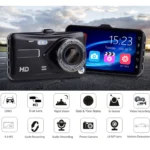
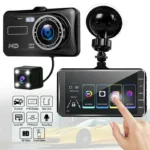
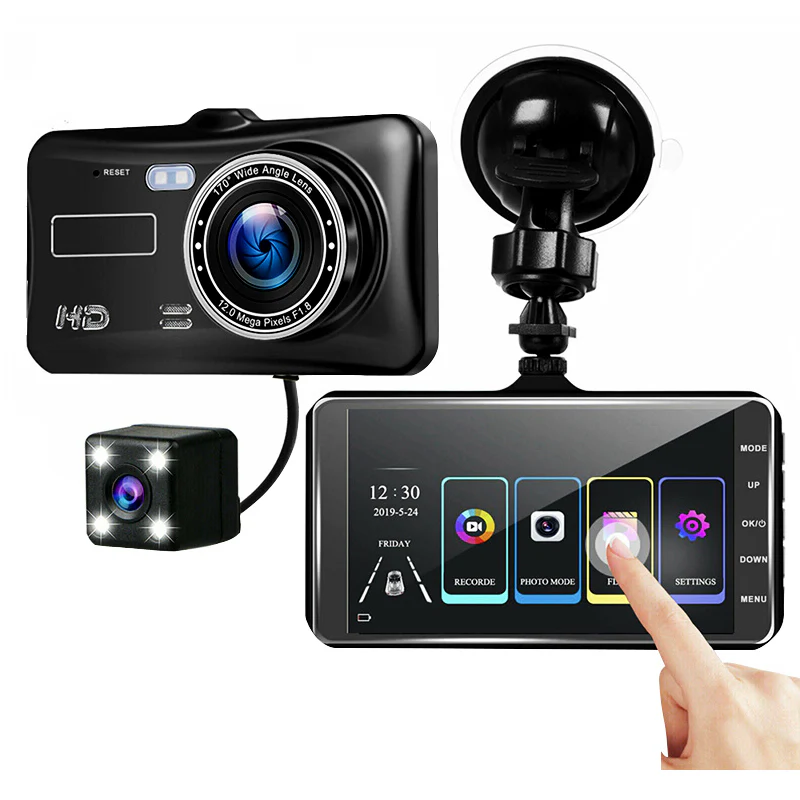
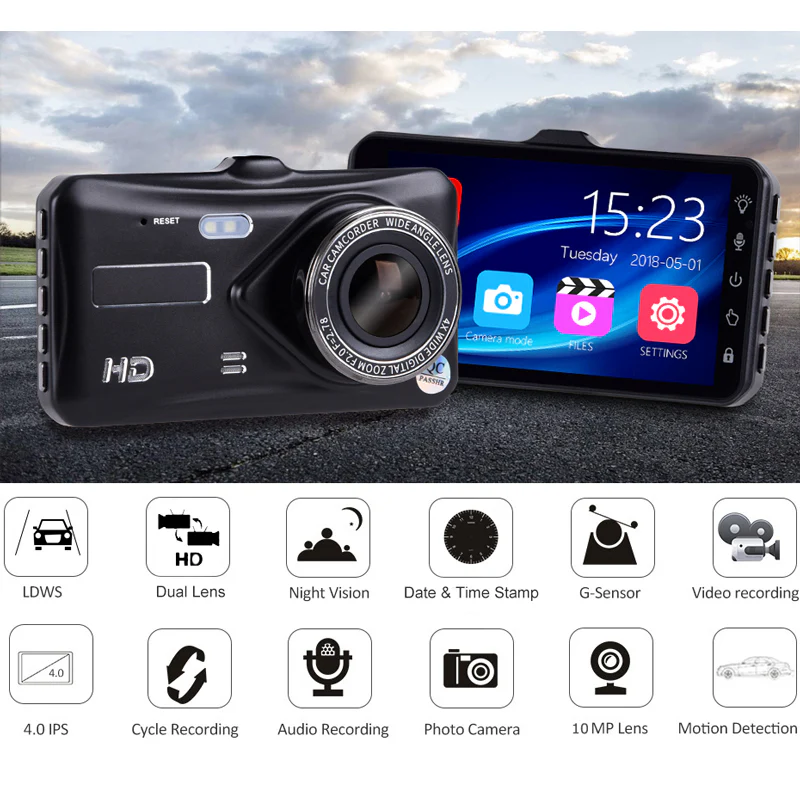
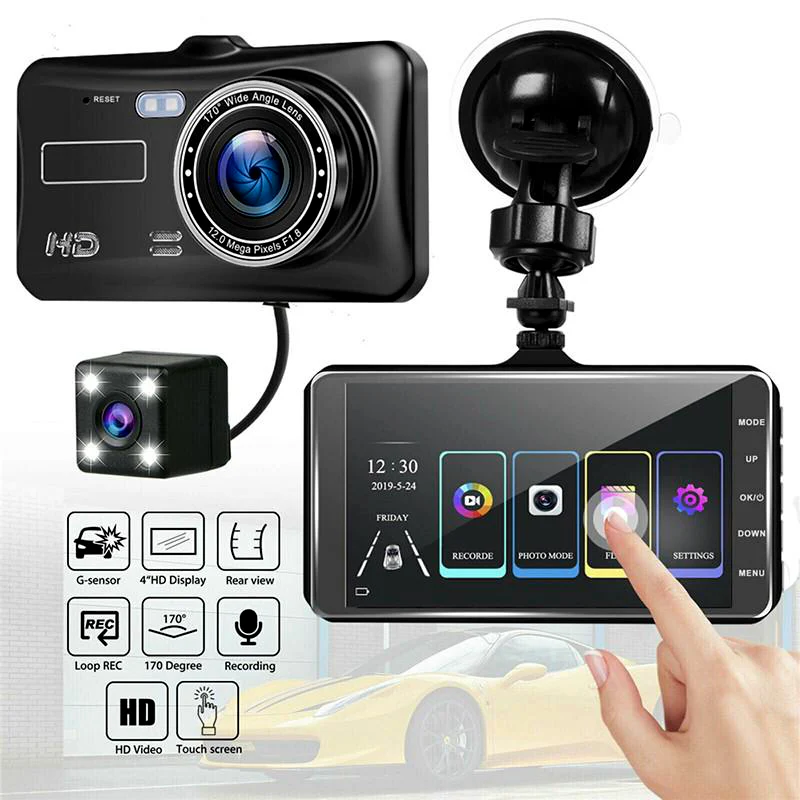
Enhance your driving safety with the D3 Dash Camera — a compact yet powerful dual-lens recording system designed to offer clear, wide-angle coverage both in motion and while parked. Featuring a 4.0-inch responsive touchscreen, Full HD front camera, rear camera support, and reliable features like night vision, loop recording, and built-in G-sensor technology, the D3 ensures that your journey is recorded in detail from start to finish. Whether you’re on a city commute or parked overnight, the D3 delivers peace of mind with seamless functionality and all-day surveillance.
1. Dual HD Recording with 1080P Front + Rear Camera Support
The D3 comes equipped with a Full HD 1080P front-facing camera and an HD rear lens, working together to deliver clear, high-quality recordings from both angles of your vehicle. From high-speed highways to crowded intersections, the dual-lens system ensures every movement is captured in detail—perfect for documenting events, protecting against false claims, or reviewing your driving with confidence.
2. Wide-Angle Field of View: 170° Front + 120° Rear
Capture more of the road with the D3’s ultra-wide lenses. The front camera offers a 170° field of view, while the rear lens provides 120° coverage—great for reducing blind spots and keeping track of vehicles approaching from behind. Whether you’re merging lanes, reversing, or parked on a busy street, the D3 delivers extensive visual coverage to help you stay alert and protected.
3. 4.0-Inch Touchscreen with Picture-in-Picture Viewing
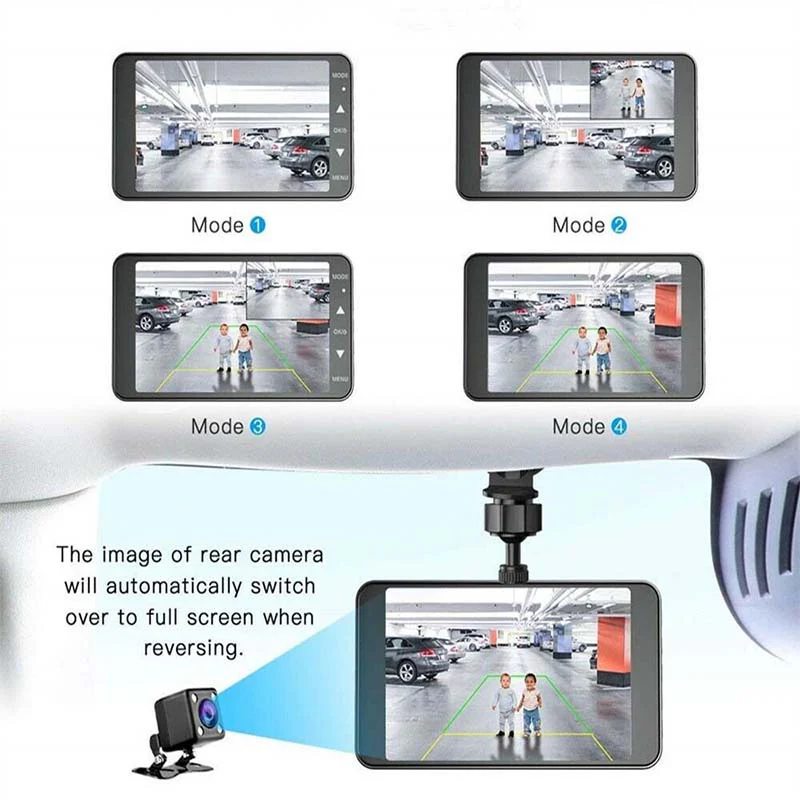
The D3 features a responsive 4.0-inch touchscreen that brings control right to your fingertips. With picture-in-picture (PIP) functionality, you can monitor front and rear views simultaneously in real-time. Easily adjust settings, replay footage, and switch views with just a tap—no physical buttons, no hassle. The interface is clean and intuitive, designed for drivers who want quick access without distraction.
4. Clear Night Vision with 6-Glass Lens Optics
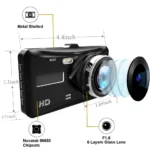
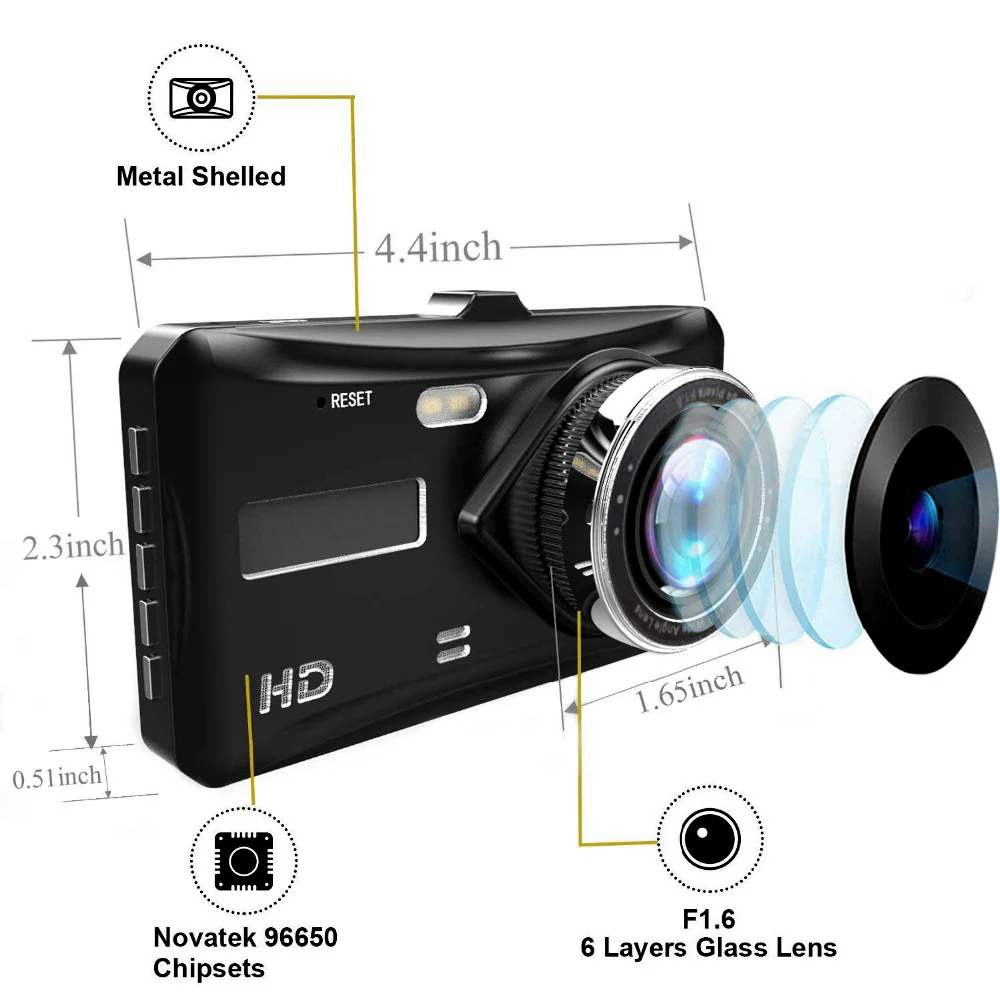
Driving at night or in low-light conditions? The D3 uses a high-performance 1054A 6-glass lens system on the front and a V09 rear lens to ensure your footage remains sharp and usable even in the dark. Whether you’re navigating backroads or monitoring your parked vehicle overnight, the camera captures vital details like license plates, pedestrians, and road markings—even when visibility drops.
5. Built-In G-Sensor for Impact Detection and Emergency Lock
With a built-in G-sensor, the D3 automatically detects collisions or sudden motion and immediately locks the current recording to prevent it from being overwritten. Whether it’s a sudden brake, side swipe, or bump while parked, your important footage is stored securely, ready for insurance claims or review later.
6. Loop Recording and Expandable Storage Up to 512GB
No more worrying about running out of space. The D3 supports loop recording, which continuously overwrites the oldest unprotected files once your TF card reaches capacity. It’s compatible with cards from 8GB up to 512GB (128GB recommended), giving you maximum flexibility for long drives and ongoing surveillance without the need for manual file management.
7. Motion Detection and Parking Monitoring for 24/7 Protection
Even when you’re not in the car, the D3 keeps watching. With built-in motion detection and Temp-Park parking mode, the camera automatically begins recording when it senses movement around the vehicle. This is ideal for detecting bumps, break-ins, or suspicious activity when your car is parked, adding an extra layer of security day or night.
1. Smart Touchscreen in a Compact Frame
The D3 combines the clarity of a dual-lens system with the simplicity of a 4.0-inch touchscreen, offering a high-tech interface in a sleek, lightweight body. Easy to use, discreet to mount, and designed to blend in with your dashboard — it’s the perfect balance of performance and convenience.
2. Reliable Performance for Daily Drivers
From daily commutes to road trips, the D3 is built to keep up with your routine. Its combination of loop recording, G-sensor protection, and dual-camera coverage ensures that everything you see on the road is backed by secure footage, no matter where you drive or park.
3. Enhanced Visibility Day or Night
Capture crisp, balanced footage whether it’s early morning, high noon, or late at night. The D3’s optimized lens and night vision tech keep your recordings sharp across changing light conditions, helping you stay protected at all times.
4. Easy DIY Installation with Suction Mount
The D3 is designed for fast, tool-free setup using a secure suction mount. Just stick it on your windshield, plug in the power adapter, and it’s ready to record. Ideal for new drivers, renters, and anyone who wants reliable protection without needing professional installation.
5. Flexible Storage and Intelligent File Management
With support for large-capacity TF cards and intelligent loop recording, the D3 gives you worry-free storage that takes care of itself. From emergency file locking to seamless cycling of footage, it’s a system that runs quietly and efficiently in the background, so you can focus on the drive.
1. Install with Ease Using Suction Mount
Mount the D3 dash cam on your car’s windshield using the provided suction mount. Place it near the center for maximum front view coverage, and connect the rear camera with the included cable. Plug the charger into your car’s 12V socket for continuous power.
2. Start Automatically with Ignition
Once installed, the D3 powers on automatically when you start your car. Its intuitive 4.0-inch touchscreen lets you view live footage, play recordings, and tweak settings right from the display—no external apps or remotes needed.
3. Enable Dual Channel Recording
The D3 records in Full HD 1080P from the front and HD from the rear. With wide-angle lenses (170° front, 120° rear), it captures broad coverage of both lanes and surroundings simultaneously, ideal for busy roads or tricky traffic moments.
4. Insert a TF Card to Begin Recording
Slide in a Class 10 TF memory card (supports up to 512GB; 128GB recommended) into the slot to begin storing your drives. Loop recording will ensure old files are overwritten as needed, so you never run out of space.
5. Adjust Safety Features for Daily Use
Activate the built-in G-Sensor for impact detection, motion detection mode for security when parked, and reverse camera view for backup assistance. All can be toggled or customized from the settings menu on the screen.
1. Avoid Extreme Heat Exposure
Try to park in shaded areas or use sunshades when possible. Direct sunlight for long hours can overheat the display or damage internal components, especially the built-in battery.
2. Format Your TF Card Regularly
Every 2–3 weeks, use the built-in menu to format your TF card. This helps prevent file corruption and ensures your loop recording runs smoothly without skipping critical footage.
3. Clean the Camera Lenses Gently
Use a dry microfiber cloth to clean the lenses of both front and rear cameras weekly. Never spray water or chemicals directly onto the device—apply them lightly onto the cloth instead if needed.
4. Check for Firmware Updates Periodically
Although the D3 doesn’t run Android, manufacturers may release performance updates. Refer to the user manual or brand support website to see if firmware upgrades are available.
5. Keep Cables Tidy and Protected
Ensure the camera wiring, especially the rear cable, is routed securely along your car’s edges. Avoid sharp bends or exposed wires to prevent wear, signal loss, or electrical shorting over time.
1. Don’t Operate the Touchscreen While Driving
Set up everything before you hit the road. The touchscreen is responsive, but avoid adjusting settings while driving to stay focused and safe.
2. Ensure Firm Mounting Every Week
Suction mounts can loosen over time, especially in hot weather. Check and reattach the dash cam if it shifts, to prevent falling or shifting views mid-drive.
3. Protect the TF Card from Damage
Don’t remove the memory card while the device is recording. Always power off the dash cam first or wait for it to stop recording before ejecting the card.
4. Disable G-Sensor for Rough Roads
If your regular routes include speed breakers or bumpy terrain, consider setting the G-sensor sensitivity to low. This prevents accidental footage locking from normal jolts.
5. Unplug for Long-Term Parking
If you’re not using the vehicle for a while, unplug the dash cam or remove the charger to avoid draining your car battery or overheating the device during summer.
1. Perfect Balance of Smart Features and Simplicity
The D3 offers high-resolution dual camera coverage, touchscreen control, and smart safety features like G-sensor, motion detection, and parking monitoring—all packed into a compact design.
2. Built for Indian Road Challenges
Its wide-angle lens captures the chaos of daily traffic, lane-splitting bikers, or the occasional cow on the highway. Advanced night vision ensures clear recordings even in dim or foggy conditions.
3, Zero Complications, Easy Installation
No technician required—suction mount and plug-in charger make installation a breeze. The menu is user-friendly, so anyone can operate it with ease.
4. Reliable Proof in Case of Disputes
With loop recording, emergency locks, and rear-view backup, you’ll always have the footage needed for insurance claims, police reports, or arguments with rowdy cabbies.
5. Affordable Yet Powerful
For its price point, the D3 delivers premium features like reverse assistance, parking monitor, motion detection, and high capacity TF card support—all without needing app-based setup or monthly fees.
1. Can the D3 Dash Camera work at night?
Yes! It features advanced night vision that captures clear footage in low light or during night drives—great for highway journeys or late shifts.
2. Does it support continuous recording?
Yes. With loop recording enabled, the D3 overwrites old footage automatically, so your memory card is always ready for new trips.
3. What happens in case of an accident?
The built-in G-Sensor detects sudden impacts and locks the relevant footage to prevent overwriting. It works even when the car is parked.
4. How big of a memory card can I use?
It supports up to 512GB TF cards, though 128GB is recommended for long recordings and smoother performance.
5. Do I need a mechanic to install it?
Nope! Installation is very easy. Just mount it using the suction, connect the cables, insert your memory card, and you’re ready to go.
| Specification | Details |
|---|---|
| Display | 4.0-inch touch screen |
| Video Resolution | HD 1080P (Front), HD (Rear) |
| Lens Angle | 170° (front), 120° (rear) |
| Picture-in-Picture | Yes |
| Motherboard Scheme | Lingtong 2247 |
| Lens Scheme | 1054A 6-glass lens (front), Rear V09 |
| Dimensions & Weight | 105mm x 55mm x 11mm (L × W × T), 0.39 Kg |
| Supported Storage Card | 8GB – 512GB TF Card (128GB Recommended) |
| Power Supply | 5V 1A car charger, 12V input |
| Battery | 120 mah Lithium battery (inbuilt) |
| G-Sensor | Yes, built-in G-sensor for automatic impact detection and footage lock |
| Loop Recording | Yes, supports continuous loop recording |
| Night Vision | Yes, advanced night vision with clear low-light recording |
| Reverse Assistance | Yes |
| Parking Monitoring | Supports Temp-Park Motion Record for parking surveillance |
| Motion Detection | Yes, supports motion detection mode for continuous surveillance |
| Installation | Easy installation with suction mount |

In stock
Add to cart
In stock
Add to cart
In stock
Add to cart
In stock
Add to cart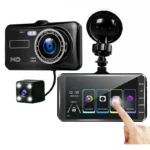

Reviews
There are no reviews yet.