₹8,310.00 Original price was: ₹8,310.00.₹5,310.00Current price is: ₹5,310.00. inc. Gst
Product Overview
| Display | 2.4 inch TFT HD screen |
| Video Resolution | HD 1080P (Front), HD (Rear) |
| Lens Angle | 170° (front), 120° (rear) wide-angle coverage |
| Night Vision | Yes, with advanced low-light recording |
| G-Sensor | Yes, built-in for impact detection and footage locking |
| Parking Monitoring | Supports Temp-Park Motion Record for surveillance |
| Storage Support | TF Card from 8GB up to 1TB (128GB recommended) |
| Power Supply | 5V 1A car charger, supports 12V input |
| Loop Recording | Yes, continuous recording with auto overwrite |
| Installation | Easy installation via suction mount |
In stock
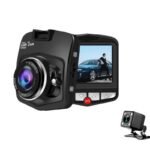
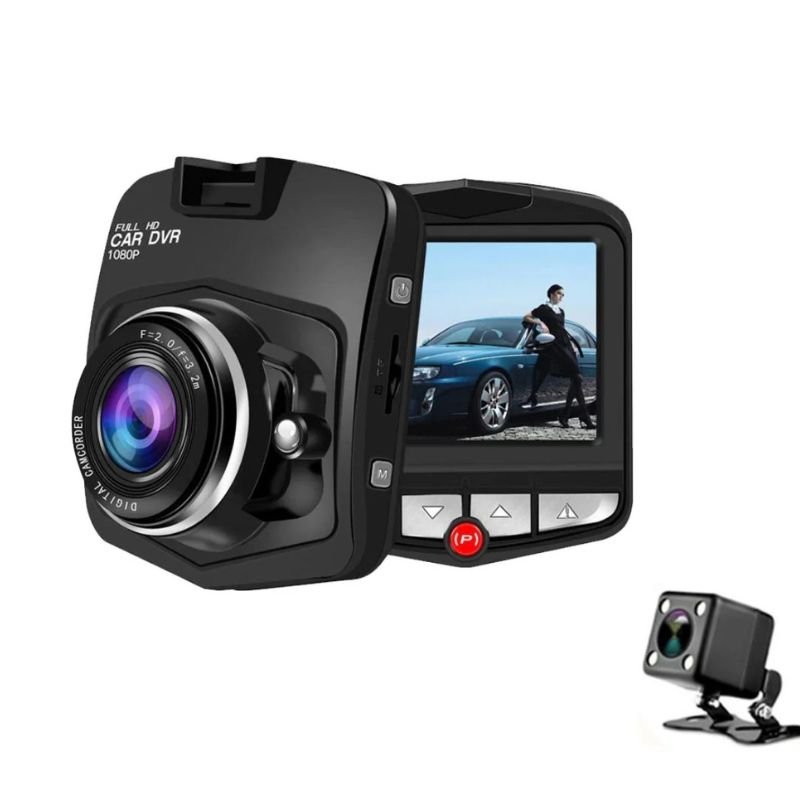
The D6 Dash Camera combines compact design with powerful performance to provide reliable front and rear surveillance for your vehicle. Whether you’re commuting daily or on a road trip, this dual-lens dash cam captures everything in crisp HD, ensuring peace of mind day or night. With features like wide-angle coverage, advanced night vision, G-sensor crash detection, and easy suction mount installation, the D6 is built for safety, simplicity, and smart driving assistance, without the bulk.
1.HD 1080P Front + HD Rear Dual Recording
Equipped with a sharp 1080P front camera and HD rear lens, the D6 records your driving experience in clear, vibrant detail. Whether you’re navigating traffic, reversing in tight spaces, or need evidence for an incident, both views are captured simultaneously to ensure you never miss a moment.
2. 170° Wide-Angle Front Lens + 120° Rear Coverage
The ultra-wide-angle front camera (170°) and wide rear view (120°) dramatically reduce blind spots and give you a full picture of the road. This extended coverage is ideal for multi-lane highways, city traffic, and tight urban navigation.
3. 2.4-Inch TFT HD Display for Real-Time Viewing
Though compact, the 2.4-inch TFT screen delivers a sharp display with intuitive controls. View live footage, change settings, or replay recordings with ease. Its minimal size ensures zero distraction while driving.
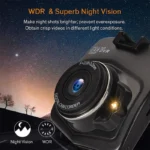
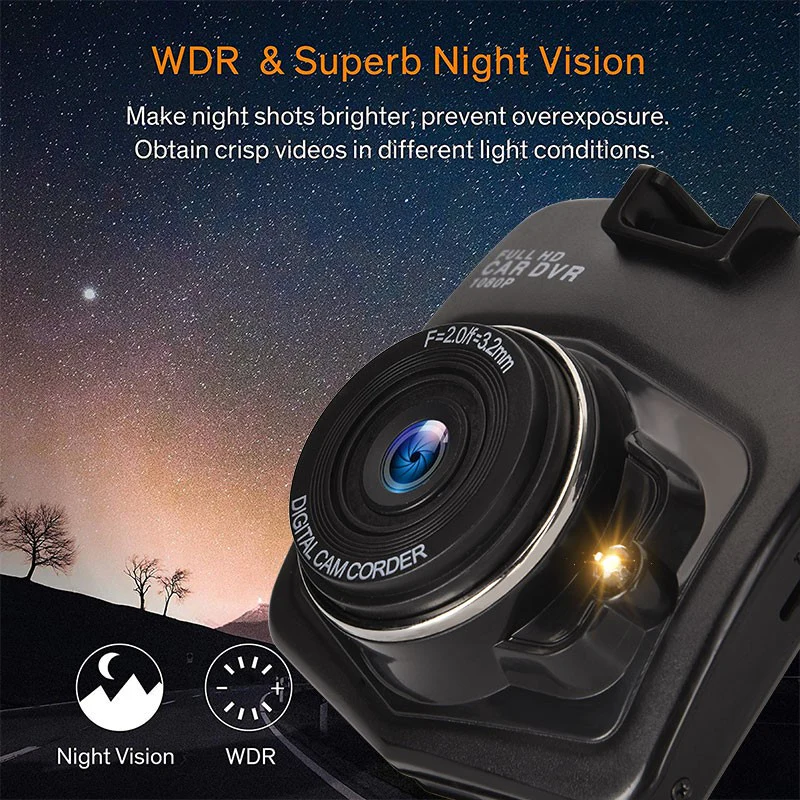
4. Advanced Night Vision for Low-Light Clarity
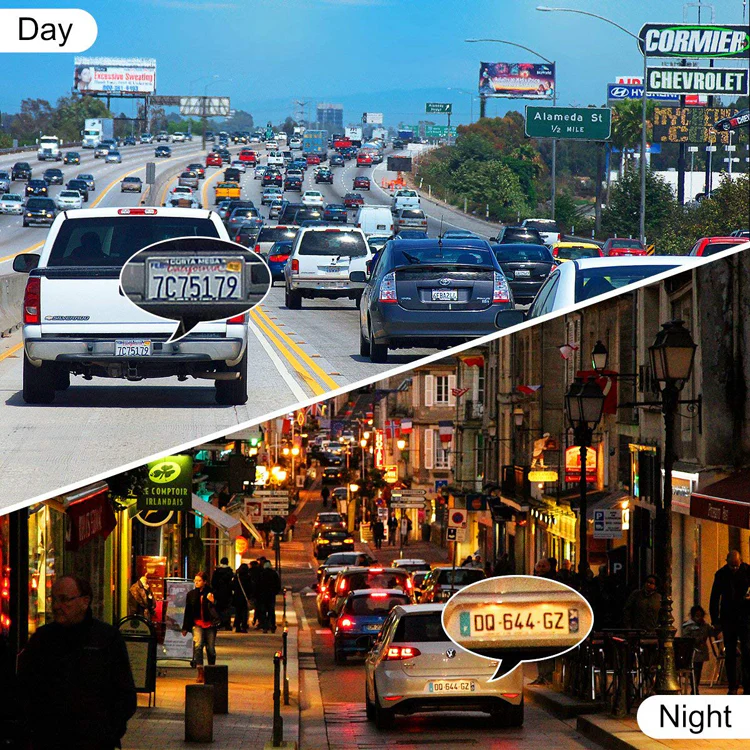
The D6 performs impressively in low-light conditions, using its enhanced lens configuration to deliver bright, high-contrast footage at night or in dim parking lots. Capture license plates, street signs, and movement clearly—even in near darkness.
5. G-Sensor with Automatic Impact Lock
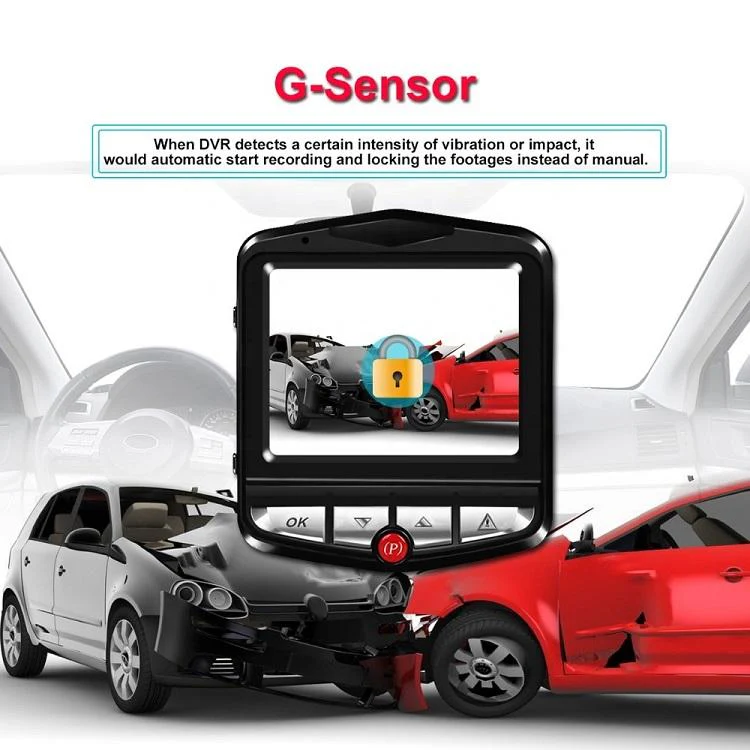
In the event of a collision or sudden braking, the built-in G-sensor instantly locks the current footage to prevent it from being overwritten. This ensures crucial evidence is saved securely for future use.
6. Seamless Loop Recording with Storage Management
Thanks to intelligent loop recording, the camera continuously records and overwrites old, non-locked videos when storage is full. This ensures that your dash cam never stops recording, even on long drives.
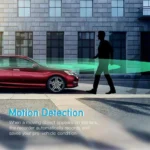
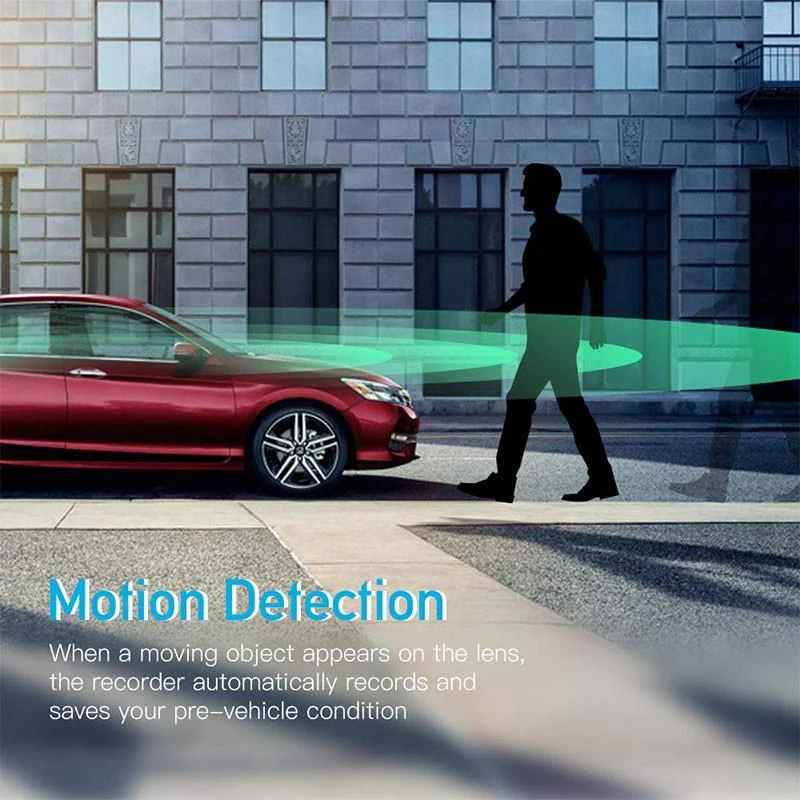
7. Motion Detection for 24/7 Parking Surveillance
When the vehicle is parked, the motion detection feature automatically activates recording if any movement is detected. It acts like a digital security guard, capturing suspicious activity around your vehicle without draining the battery.
8. Picture-in-Picture Mode for Dual View
Monitor both front and rear cameras simultaneously with the built-in Picture-in-Picture functionality. Switch views instantly and drive with more confidence, knowing what’s happening in front and behind your vehicle at the same time.
9. Reverse Assistance with Backup Guide
The rear camera also functions as a reverse assistant, displaying helpful guidelines when backing up. Whether it’s parking in a tight spot or avoiding unseen objects, this visual support enhances safety while reversing.
10. Easy Installation with Suction Mount Design
Forget complicated setups. The D6 includes a sturdy suction mount that attaches easily to your windshield. Plug it into the car charger, insert a memory card, and you’re ready to go—ideal for first-time dash cam users.
1. All the Essentials in One Compact Body
While some dash cams are bulky and overcomplicated, the D6 delivers a full-featured experience in a sleek, lightweight design. It tucks neatly behind your rear-view mirror without distracting from your drive.
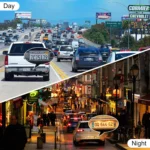
2. Day and Night Protection for Your Vehicle
Whether it’s broad daylight or pitch-black night, the D6 gives you clear, dependable video. Perfect for recording late-night drives, after-dark parking incidents, or dim roadways where detail matters most.
3. Reliable Parking Monitoring That Watches When You Don’t
With motion detection and parking surveillance mode, the D6 keeps your car safe even when you’re not inside it. Capture any movement or impact while parked without needing a constant power source.
4. Massive Storage Support with Intelligent Management
Compatible with TF cards from 8GB up to 1TB (128GB recommended), this dash cam offers extended recording capacity. Loop recording ensures that space is always optimized—no manual deleting needed.
5. Built to Handle Everyday Driving Without Hassle
From easy installation to automatic recording on ignition, the D6 is designed to simplify your driving experience. It runs quietly in the background and stores essential footage so you can stay focused on the road.
Mount it properly using the suction mount: Stick the suction mount firmly onto your windshield at a spot that gives a clear view of the road without blocking your sight. Tighten the mount to avoid any shaking during the drive.
Connect the power cable to your car charger port: Plug the dash cam into the 12V outlet using the provided 5V 1A car charger. This ensures the device receives a stable power supply every time you start the car.
Insert a recommended memory card before first use: Use a high-speed TF card, preferably 128GB, for stable and uninterrupted recording. The card slot is usually on the side of the camera, and the camera won’t record without it.
Configure basic settings from the menu: Use the 2.4″ TFT HD screen to adjust video resolution, date/time, loop cycle, and enable features like motion detection and night vision for optimal use.
Start your engine and drive — the recording begins automatically. Once the car is powered on, the dash cam activates and begins recording your journey, giving you peace of mind without manual interference.
Use a soft, dry microfiber cloth to clean the screen: Gently wipe the 2.4” display screen to remove fingerprints, dust, or smudges without scratching the surface.
Clean the front and rear camera lenses with care: The lens requires a gentle touch — use a lens-cleaning cloth or soft cotton swab to ensure clarity in recordings, especially for night vision.
Avoid chemical cleaners or abrasive sprays: Never spray harsh liquids directly on the dash cam; instead, use a light alcohol-free screen cleaner applied onto the cloth.
Inspect the suction cup mount and wipe it clean regularly: Dust on the suction cup may weaken its grip — clean it with water and let it dry to maintain strong windshield adhesion.
Unplug the camera before cleaning to avoid mishaps: Always disconnect the dash cam from the power source before cleaning to prevent accidental setting resets or screen damage.
Park under shade to protect the device from direct sunlight: Prolonged exposure to sunlight can heat the internal battery and affect display performance, especially in summer months.
Do not overcharge the internal battery: Even though it runs primarily on car power, overcharging can damage the built-in 90mAh lithium battery — always unplug when not in use.
Format the memory card once a month: To avoid storage clutter and ensure loop recording works properly, format the SD card periodically using the in-device menu.
Update the firmware only from official or reliable sources: Avoid unauthorized firmware updates that may corrupt device software or disable core features like G-sensor and loop recording.
Avoid tampering with the lens alignment or mount position: Once set, keep the front and rear lens angles stable to maintain proper recording range and field of view at 170° front and 120° rear.
Always use the correct voltage input (5V 1A or 12V): Using the wrong charger may damage internal circuits or reduce battery lifespan.
Keep away from water and extreme humidity: The dash cam is not waterproof — avoid installing it in areas where it may be exposed to condensation or leaks.
Secure all wires properly inside the car: Loose wires can interfere with driving or get damaged — hide them along door trims and avoid stretching them.
Don’t attempt to disassemble the device: Internal components are sensitive and can void the warranty if mishandled — seek professional help for repairs or issues.
Turn off recording while cleaning or formatting: Changing settings or formatting the card while recording may corrupt the data or freeze the system unexpectedly.
Q1. Can I use a memory card larger than 128GB?
Yes, it supports up to 1TB TF cards, but 128GB is recommended for best performance and compatibility without lagging during recording.
Q2. Will the dash cam record when the car is parked?
Absolutely! It supports parking monitoring with motion detection. Once enabled, it records short clips when any movement is detected around the vehicle.
Q3. Is the night vision clear enough for highways?
Yes, the night vision is equipped with advanced sensors that offer excellent low-light clarity, ideal for night drives or poorly lit roads.
Q4. Does it record sound along with video?
Yes, the D6 Dash Cam includes audio recording, and you can enable or disable the sound via the menu depending on your preference.
Q5. Can it be installed in any car or SUV?
Definitely! The compact design and suction mount make it compatible with nearly all car models, whether hatchbacks, sedans, or SUVs.
Dual HD recording with Picture-in-Picture clarity: The D6 Dash Camera gives you HD 1080P from the front and HD from the rear, with PIP mode that lets you view both recordings at once, making every angle count.
Superb night vision for clear low-light recording: Whether it’s city streets or dark highways, the advanced night vision captures road conditions clearly, giving you sharp evidence even in pitch-dark conditions.
Built-in G-Sensor and loop recording for safety and convenience: The G-Sensor locks crucial footage during collisions, and loop recording overwrites old files so you never run out of space at the wrong moment.
Compact, lightweight, and easy to install: At just 0.22kg and with a simple suction mount, it’s the perfect fit for any car without blocking your view or requiring professional installation.
Great for daily drives and parking surveillance: The Temp-Park Motion Record feature ensures your vehicle is being watched even while parked, deterring theft and providing peace of mind around the clock.
The D6 is a dual-lens camera with 1080P Full HD recording on both front and rear cameras. The front lens offers a wide 170° angle, while the rear provides 120°. This setup captures clear footage of the road ahead and behind, reducing blind spots significantly.
Yes, the D6 features advanced night vision technology with high-quality sensors that deliver clear and usable footage even in complete darkness or low-light conditions, such as on poorly lit roads or in parking areas at night.
In parking mode (Temp-Park Motion Record), the camera automatically activates recording when it detects movement near the parked vehicle. The built-in G-sensor detects impacts or sudden braking while driving and locks the current video file to protect important evidence from being overwritten.
The D6 supports TF cards from 8GB up to 1TB (128GB is recommended for balanced performance and storage). It uses loop recording to continuously save footage and automatically overwrites older unlocked files when the card fills up.
Yes, it includes Picture-in-Picture (PIP) mode to view front and rear footage simultaneously on the 2.4-inch screen. The rear camera also provides reverse assistance with guidelines, making parking easier and safer in tight spaces.
Installation is very straightforward with a suction mount that attaches securely to the windshield. It powers through the car charger and starts recording automatically when the engine is on. The compact size (65mm × 71mm × 32mm) and lightweight design (0.22 kg) keep the dashboard clean and unobstructed.
Definitely. Its reliable dual 1080P recording, excellent night vision, parking security, and simple operation make it an ideal choice for daily commuters, family cars, and road trips. It provides strong evidence in case of accidents while remaining affordable and easy to maintain.
| Specification | Details |
|---|---|
| Display | 2.4-inch TFT HD |
| Video Resolution | HD 1080P (Front), HD (Rear) |
| Lens Angle | 170° (front), 120° (rear) |
| Picture-in-Picture | Yes |
| Motherboard Scheme | Lingtong 2247 |
| Lens Scheme | 1054A 6-glass lens (front), Rear V09 |
| Physical Dimensions | 65mm x 71mm x 32mm (Length x Width x Thickness) |
| Weight | 0.22 Kg |
| Supported Storage Card | 8GB – 1TB TF Card (128 GB recommended) |
| Power Supply | 5V 1A car charger, supports 12V |
| Battery | 90 mAh Lithium battery (inbuilt) |
| Night Vision | Yes, advanced night vision with clear low-light recording |
| G-Sensor | Yes, built-in G-sensor for automatic impact detection & footage locking |
| Parking Monitoring | Supports Temp-Park Motion Record for parking surveillance |
| Loop Recording | Yes, supports continuous loop recording |
| Reverse Assistance | Yes |
| Installation | Easy installation with suction mount |

In stock
Read more
In stock
Add to cart
In stock
Add to cart
In stock
Add to cart

Reviews
There are no reviews yet.