
Product Overview
| Product Name | Zenmuse Z30 |
| Dimensions | 152 × 137 × 61 mm |
| Weight | 556 g |
| Angular Vibration Range | ±0.01° |
| Mount | Detachable |
| Controllable Range | Pitch: +30° to –120°, Yaw: ±320° |
| Mechanical Range | Pitch: +50° to –140°, Yaw: ±330°, Roll: +90° to –50° |
| Max Controllable Speed | Pitch: 180°/s, Yaw: 180°/s |
| Sensor | CMOS, 1/2.8″ |
| Effective Pixels | 2.13 MP |
| Lens | 30× Optical Zoom, f/1.6 (Wide) – f/4.7 (Tele) |
| Field of View (FOV) | 63.7° (Wide) – 2.3° (Tele) |
| Digital Zoom | 6× |
| Minimum Working Distance | 10 mm – 1200 mm |
| Still Photography Modes | Single shot, Burst (3/5 frames), Interval (2–30 s) |
| Video Formats | MOV, MP4 |
| Exposure Modes | Auto, Manual, Shutter Priority, Aperture Priority |
| Shutter Speed (Electronic) | 1/30 – 1/6000 s |
| White Balance Options | Auto, Sunny, Cloudy, Incandescent, Custom (2000–10000 K) |
| Supported Storage Cards | microSD (SD/SDHC/SDXC) up to 64 GB, Class 10 or UHS-I, FAT32/exFAT |
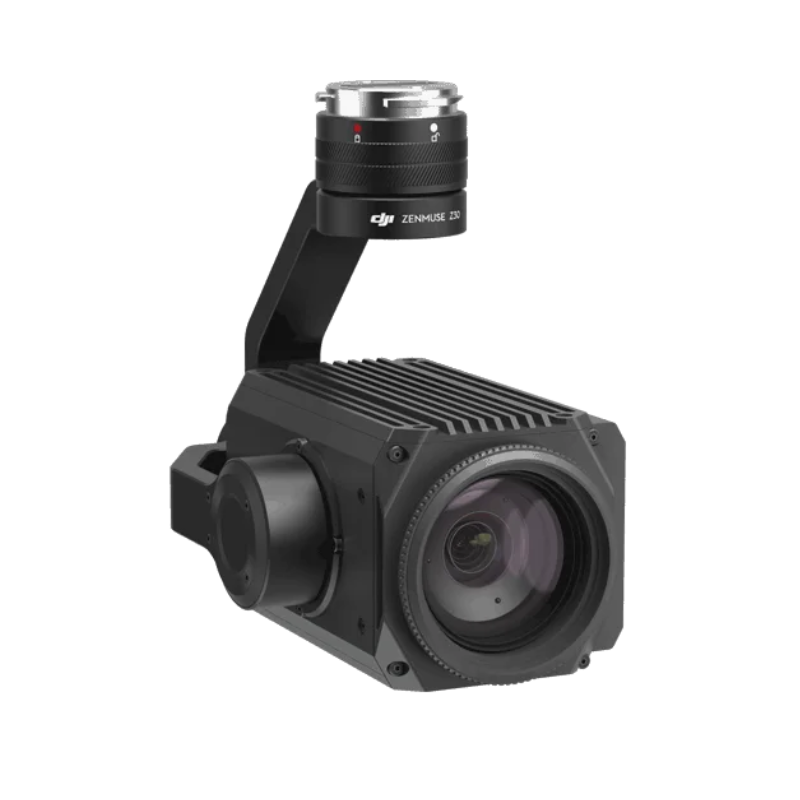
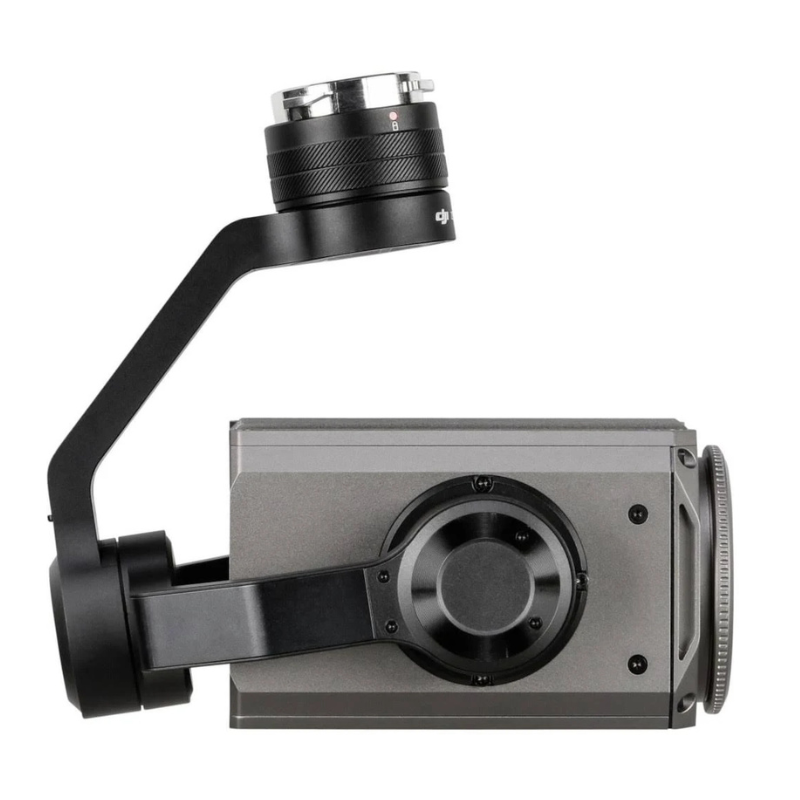
The DJI Zenmuse Z30 is a robust and versatile aerial camera system designed specifically for industrial inspection, public safety, and critical infrastructure monitoring. Featuring an impressive 30x optical zoom and 6x digital zoom, this gimbal-mounted camera offers unmatched visual detail from a safe distance, allowing operators to capture sharp, clear images of distant objects without compromising drone stability or flight safety.
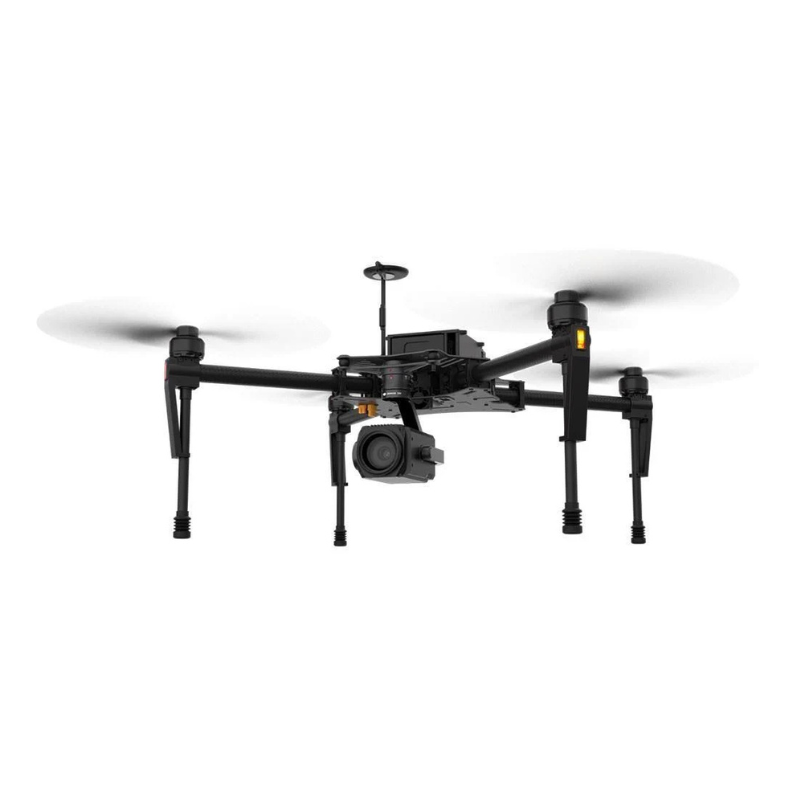
Compatible with DJI enterprise drones like the Matrice 200 series and Matrice 300 RTK, the Zenmuse Z30 empowers professionals in utilities, law enforcement, firefighting, and inspection sectors to perform detailed surveys, identify issues, and make informed decisions quickly and efficiently.
The Zenmuse Z30 combines powerful 30x optical zoom capability with an additional 6x digital zoom, enabling operators to inspect objects up to 1,500 meters away with crystal-clear detail. This extreme zoom power reduces the need for risky close-up flights, enhancing operational safety and efficiency.
The Zenmuse Z30 features a high-precision 3-axis gimbal that mechanically stabilizes the camera against pitch, roll, and yaw movements. This advanced stabilization technology ensures that images and videos are perfectly smooth and free from jitter or blur, even when the drone is battling wind gusts or making sudden maneuvers. This stability is essential when using extreme zoom, where even the smallest vibration can ruin image quality. The result is razor-sharp visuals that enable precise inspections and better data for analysis.
Equipped with DJI’s proprietary OcuSync transmission technology, the Zenmuse Z30 streams live video in HD quality directly to your remote controller or connected device. This means operators can monitor targets in real time, adjusting zoom and focus smoothly without delay. The live feed supports critical missions such as emergency response, infrastructure surveys, and law enforcement by providing instant situational awareness and enabling faster, more informed decisions on the spot.
The Zenmuse Z30 is designed to integrate effortlessly with DJI’s leading industrial drones, including the Matrice 200 Series V2 and the latest Matrice 300 RTK. This compatibility extends to DJI’s software platforms like DJI Pilot and FlightHub, allowing users to plan flights, control the camera, and manage data efficiently. The ecosystem offers features such as waypoint missions, automated zoom control, and easy video storage, streamlining workflows for commercial and industrial users.
Built for tough fieldwork, the Zenmuse Z30 boasts an IP44-rated weather-resistant design that shields the camera and gimbal from dust, light rain, and moisture. This ruggedness ensures reliable operation in diverse environments, whether you’re inspecting industrial sites, conducting search and rescue operations, or monitoring construction progress. While it is not fully waterproof, this weather sealing protects essential components and extends the device’s lifespan under demanding outdoor conditions.
With the DJI Pilot app and the Zenmuse Z30’s built-in smart zoom features, operators can quickly lock focus on specific objects or areas using intuitive controls. The camera supports One-Touch Zoom, enabling fast and accurate zoom adjustments to zoom in on critical details effortlessly. Autofocus and manual focus modes provide flexibility depending on the mission needs, allowing crisp imaging whether you’re capturing static structures or moving subjects.
Despite its powerful zoom capabilities, the Zenmuse Z30 is engineered to be lightweight and compact, weighing approximately 700 grams. This minimized weight means it places less load on the drone’s motors and batteries, preserving longer flight times and enhancing maneuverability. This balance of power and portability makes it an ideal choice for field operators who need both performance and endurance.
Mount the Gimbal Like a Gentle Engineer
Before you even think of turning anything on, switch off your drone and gently mount the Zenmuse Z30 on a compatible aircraft like the DJI Matrice series. Make sure the gimbal ports and locking system are properly aligned. Don’t push it like it owes you money—treat it like a newborn baby with a camera attached.
Calibrate the Gimbal for a Peaceful Flight
Once it’s mounted and powered on, use the DJI Pilot or DJI GO 4 app to calibrate the gimbal. This step makes sure the camera knows which way is up, down, and “not today, turbulence.” Skipping this step is like asking for a blurry disaster in HD.
Zoom Slowly Like a Suspense Movie Director
The Zenmuse Z30 has 30x optical zoom and 6x digital zoom, which is basically telescope-level power. But please don’t zoom from 1x to 36x like a race car—do it slowly so the image remains stable, and your subject doesn’t feel personally attacked.
Switch Modes and Adjust Settings Smartly
Depending on your mission—whether it’s inspecting towers or spying on coconuts—switch between photo and video modes. Adjust focus, exposure, ISO, and white balance from the app. Treat it like a DSLR that went to flying school.
Save, Download, and Admire Your Work
After the flight, land the drone safely, shut everything down, and remove the SD card. Transfer the footage to your computer and take a moment to admire that crispy zoom detail. If you caught a squirrel blinking from 200 meters away, you’re using it right.
Store It Like a Precious Instrument, Not a Tool
Keep the Z30 in a dust-proof, shockproof padded case when it’s not flying. Moisture, dust, and impact are like villains in its life story. Store it in a cool, dry place—not beside your chai cup or near a window during monsoon.
Clean the Lens with the Right Tools Only
Use a microfiber cloth or camera lens wipe to clean the lens gently. Don’t use your shirt, handkerchief, or the corner of your mom’s curtain. One scratch and your zoom will start looking like an oil painting.
Don’t Touch the Gimbal Like a Fidget Spinner
The gimbal is motorized and precisely balanced, not a toy. Don’t twist, pull, or poke it for fun. If it gets stuck or acts weird, restart it instead of doing open-heart surgery with a screwdriver.
Update Firmware, Not Just Your Instagram
Keep the firmware updated using DJI Assistant 2 or through the DJI app. Updates often fix bugs and add features. Ignoring updates is like refusing free pizza—why would you do that?
Handle With Care, Especially During Travel
When traveling, make sure it’s packed snugly in its case. Don’t toss it in your backpack with your water bottle and lunchbox. This isn’t a tiffin carrier—it’s an optical beast with delicate circuits.
Avoid Flying Near Magnetic or High-Voltage Areas
Strong magnetic fields, transformers, or high-voltage lines can interfere with the gimbal’s stabilization. If your footage starts dancing like a DJ set, you’ve flown too close to danger. Stay safe, stay smooth.
Don’t Zoom Like You’re Chasing a UFO
Zooming too fast at full speed while flying can mess with the gimbal’s motor and ruin your footage. Be gentle—zoom like you’re making a documentary, not a racing video for social media.
Always Check the Mount Before Every Takeoff
Before every flight, inspect the gimbal lock and mount. Make sure it’s firmly attached. If it falls mid-air, you’ll lose more than just a camera—you’ll lose your weekend peace and probably your job.
Keep It Away from Curious Kids and Pets
This gadget may look cool, but it’s not a toy. Keep it far away from toddlers and overly curious cats. One innocent tug, and you’ll be explaining to DJI why your camera is now shaped like a banana.
Avoid Overheating During Long Shoots
If you’re using Zoom and the camera continuously in hot weather, give it breaks. Just like humans, electronics also need breathing time. If it gets too hot, land and let it cool down before resuming.
The DJI Zenmuse Z30 is an indispensable tool for professionals who require detailed visual inspections from a safe distance. Its powerful zoom, combined with smooth stabilization and seamless integration with DJI’s enterprise drones, transforms complex inspection tasks into efficient, accurate, and safer operations. Whether monitoring power lines, assessing structural damage, or supporting emergency response, the Zenmuse Z30 delivers the clarity and reliability that critical missions demand.
Take your aerial inspection capabilities to the next level with the DJI Zenmuse Z30 — where zoom meets precision.
The Z30 features a 30x optical zoom (f/1.6 for wide and f/4.7 for telephoto, 63.7°–2.3° FOV) combined with 6x digital zoom for 180x total zoom; you can get visual inspections out to approximately 1,500m. The speeds are as follows: optical zoom wide to telephoto (4.6s), digital zoom to telephoto (6.4s), and focus shift (1.1s). There are easy-to-use Zoom Tap (1x–5x) and a one-touch function for several operational modes as well.
There is 3-axis mechanical stabilization, so it will limit the angular vibrations to ±0.01° to capture footage that is free from jitters in windy conditions or when flying aerobatically. The pitch will go from +30° to -120°, and the yaw is ±320° controlled, both with the maximum speeds of 180°/s for responsive tracking.
Long story short: the Zenmuse Z30 is compatible with the Matrice 200 V2 and Matrice 300 RTK via a detachable mount. It will also support the DJI pilot and FlightHub software, which utilizes waypoints and has auto-zoom, stress storage too. The mechanical range will pitch a wide +50° to -140°, yaw ±330°, and roll +90° to -50°.
Photo Options: single photo/burst (3 or 5 fps)/ie, interval (2-30s) in JPEG only. There are two video options: MOV/MP4 with auto/manual/shutter/aperture priority exposure; electronic shutter range between 1/30 to 1/6000s; ±2.3 EV compensation; center/spot metering; AE lock available.
The Zenmuse Z30 has auto/sunny/cloudy/incandescent/custom (2000 - 10000K) WB; defogger, anti-flicker (50/60 Hz), PAL/NTSC; and one-click 1x image normalization to ensure the same image between different conditions.
It has an IP44 rating (dust/light rain resistant), operational temp. of -10° to 45° and storage temp. of -20° to 60°. Not waterproof, please dry the connectors to maintain the integrity of the seal prior to use.
| Feature | Specification |
|---|---|
| Product Name | Zenmuse Z30 |
| Dimensions | 152 × 137 × 61 mm |
| Weight | 556 g |
| Feature | Specification |
|---|---|
| Angular Vibration Range | ±0.01° |
| Mount | Detachable |
| Controllable Range | Pitch: +30° to -120° / Yaw: ±320° |
| Mechanical Range | Pitch: +50° to -140° / Yaw: ±330° / Roll: +90° to -50° |
| Max Controllable Speed | Pitch: 180°/s / Yaw: 180°/s |
| Feature | Specification |
|---|---|
| Sensor | CMOS, 1/2.8" |
| Effective Pixels | 2.13 MP |
| Lens | 30x Optical Zoom, F1.6 (Wide) – F4.7 (Tele) |
| Zoom Movement Speed | Optical Wide → Tele: 4.6 s / Optical Wide → Digital Tele: 6.4 s / Digital Wide → Tele: 1.8 s |
| Focus Movement Time | ∞ → Near: 1.1 s |
| Field of View (FOV) | 63.7° (Wide) – 2.3° (Tele) |
| Digital Zoom | 6x |
| Minimum Working Distance | 10 mm – 1200 mm |
| Photo Formats | JPEG |
| Video Formats | MOV, MP4 |
| Working Modes | Capture, Record, Playback |
| Still Photography Modes | Single Shot / Burst: 3 or 5 frames / Interval: 2–30 s |
| Exposure Modes | Auto, Manual, Shutter Priority, Aperture Priority |
| Exposure Compensation | ±2.3 (1/3 increments) |
| Metering Modes | Center-weighted / Spot (12 × 8 area) |
| AE Lock | Supported |
| Electronic Shutter Speed | 1/30 – 1/6000 s |
| White Balance | Auto, Sunny, Cloudy, Incandescent, Custom (2000K – 10000K) |
| Video Captions | Supported |
| TapZoom | Supported (Range: 1–5) |
| Defog | Supported |
| One-Key 1x Image | Supported |
| Anti-Flicker | 50 Hz / 60 Hz |
| PAL/NTSC | Supported |
| Supported SD Cards | MicroSD (SD/SDHC/SDXC), Max 64 GB, Class 10 or UHS-I |
| Supported File Systems | FAT32 (≤ 32 GB), exFAT (> 32 GB) |
| Parameter | Specification |
|---|---|
| Operating Temperature | 14° to 113° F (-10° to 45° C) |
| Non-Operating Temperature | -4° to 140° F (-20° to 60° C) |
Reviews
There are no reviews yet.