
Product Overview
| Product Name | Zenmuse X7 |
| Dimensions | 151 × 108 × 132 mm |
| Weight (Without Lens) | 449 g |
| Gimbal Angular Vibration | ±0.005° |
| Mount Type | Detachable |
| Gimbal Control Range | Tilt: +40° to -125°; Pan: ±300°; Roll: ±20° |
| Gimbal Mechanical Range | Tilt: +50° to -130°; Pan: ±330°; Roll: +90° to -50° |
| Max Controllable Speed | Tilt: 180°/s; Roll: 180°/s; Pan: 360°/s |
| Sensor Size | Still: 23.5 × 15.7 mm; Video: 23.5 × 12.5 mm |
| Effective Pixels | 24 MP |
| Supported Lenses | DJI DL 16mm, 24mm, 35mm, 50mm |
| Storage Support | MicroSD (max 128 GB), DJI CINESSD |
| Photo Resolution | Max 6016 × 4008 (3:2) |
| Photo Formats | DNG, JPEG, DNG+JPEG |
| Video Formats | CinemaDNG, ProRes, MOV, MP4, H.264, H.265 |
| Max Video Resolution | 6K (6016 × 3200, 23.976p, 14-bit) |
| Shutter Speed | Electronic: 1/8000–8s; Mechanical: 1/1000–8s |
| ISO Range | Photo: 100–25600; Video: 100–6400 |
| White Balance | Auto, Sunny, Cloudy, Incandescent, Neon, Custom |
| Operating Temperature | -20°C to 40°C |
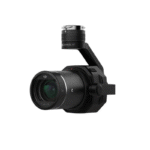
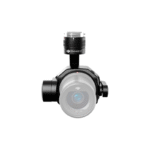
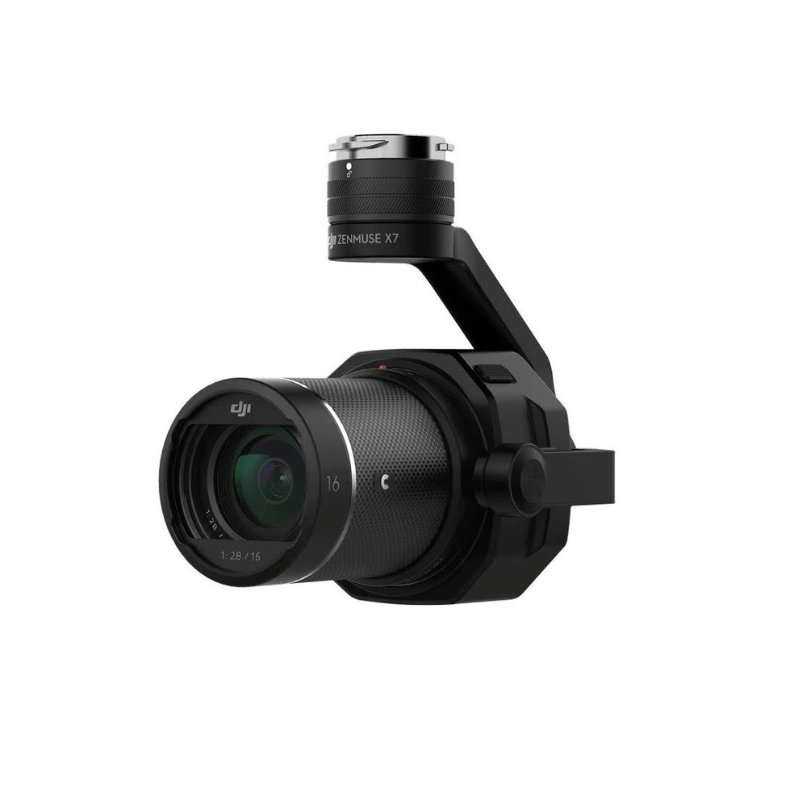
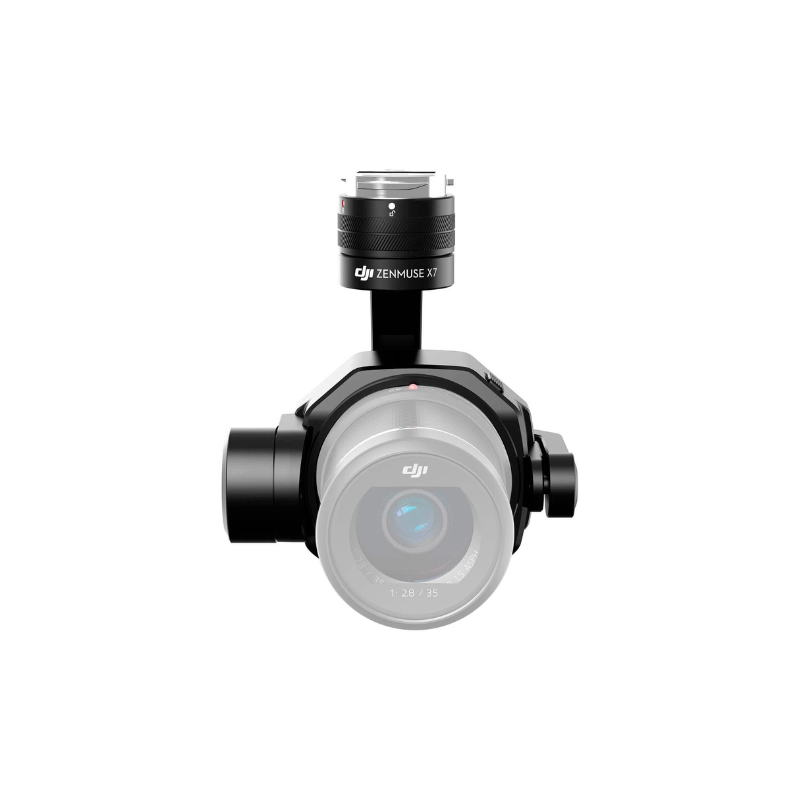
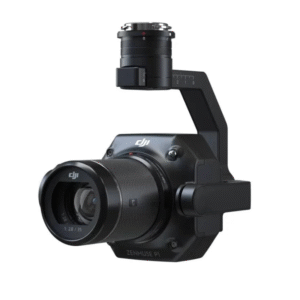
If you’ve ever looked at your drone footage and thought, “Hmm… this needs more cinema and less smartphone,” then the DJI Zenmuse X7 is your answer. This powerful aerial camera is designed for professional filmmakers, cinematographers, and production crews who want true Hollywood-quality footage from the sky.
The X7 brings a Super 35mm sensor, 6K CinemaDNG and 5.2K Apple ProRes video, and support for interchangeable lenses—all in a lightweight, gimbal-stabilized design that mounts perfectly on the DJI Inspire 2. Whether you’re shooting a short film, a Netflix series, or a luxury real estate ad, the Zenmuse X7 turns every aerial shot into cinematic gold.
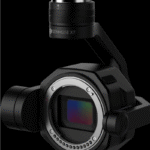
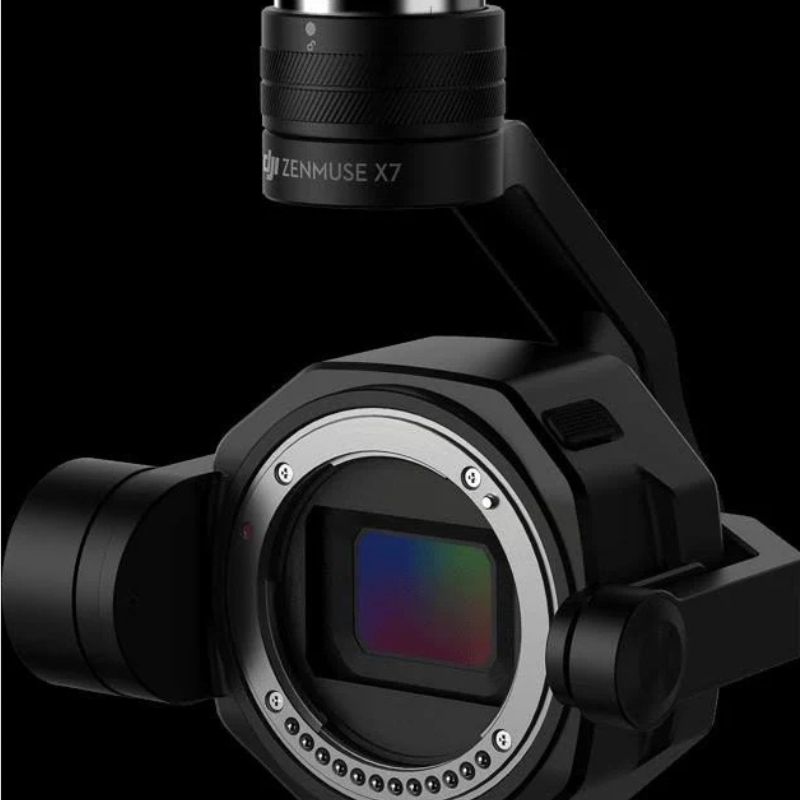
The Zenmuse X7 features a Super 35mm sensor with 24 megapixels, which is significantly larger than standard drone camera sensors. This means better low-light performance, smoother gradients, and more dynamic range. Whether you’re flying during golden hour or in tricky lighting conditions, your footage stays crisp, colorful, and cinematic.
If you’re serious about video, this is what you’ve been waiting for. The Zenmuse X7 captures 6K RAW video in CinemaDNG format and 5.2K Apple ProRes, which are the same formats used in major film studios. This gives you unmatched flexibility in post-production, especially for color grading, editing, and adding visual effects.
The X7 supports DJI’s DL mount lens system, with four professional prime lenses (16mm, 24mm, 35mm, and 50mm). Each lens is lightweight and specifically optimized for aerial use. Whether you need a wide, cinematic landscape or a dramatic close-up, you’ve got the tools to capture it perfectly from above.
With 14 stops of dynamic range, the X7 retains details even in the brightest skies and darkest shadows. This allows your footage to breathe and gives editors full control during color correction. It’s a dream for any filmmaker who cares about visual storytelling.
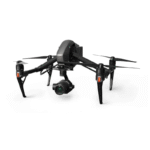
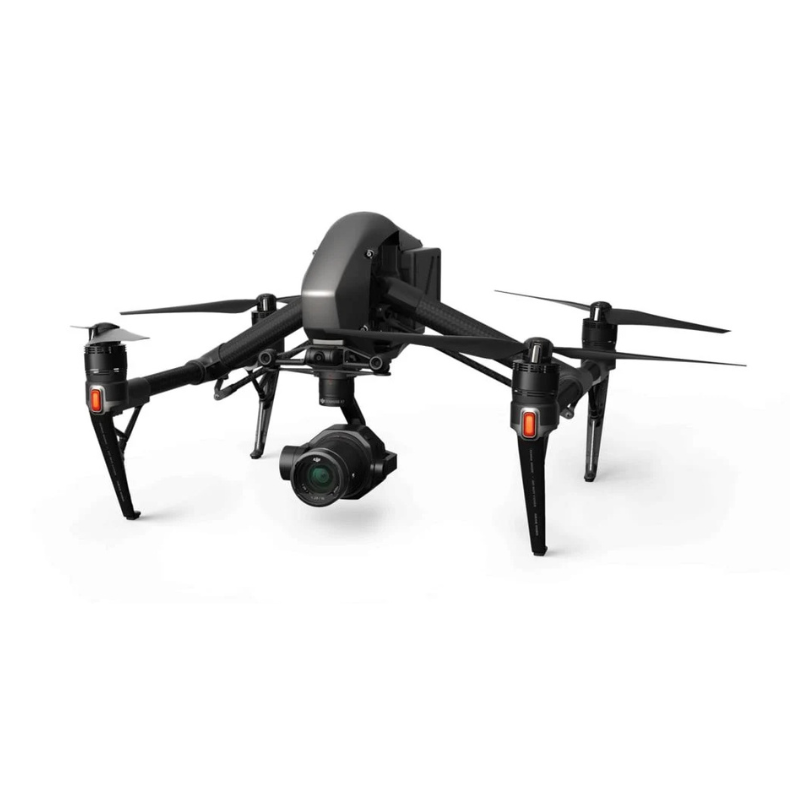
The Zenmuse X7 is made specifically for the DJI Inspire 2, and when combined, they create one of the most powerful aerial filmmaking platforms in the world. Features like dual-operator mode, SSD recording, and high-speed flight with gimbal stability make your production workflow smooth, fast, and flexible.
Besides amazing video, the X7 also captures stills at 20fps in 24MP RAW, perfect for high-resolution photography and photogrammetry. Whether you’re grabbing aerial photos for a commercial or digital content creation, you’ll never miss a perfect frame.
Despite its heavy-duty performance, the X7 is surprisingly lightweight. This means longer flight time and better maneuverability when mounted on the Inspire 2. You get power without bulk—ideal for fast-paced shoots and complex angles.
Because it records in RAW and ProRes, the X7’s footage fits directly into industry-standard editing platforms like DaVinci Resolve, Adobe Premiere Pro, and Final Cut Pro. No conversions, no fuss—just high-end footage that’s ready to be cut, graded, and published.
Mount the Camera Securely on the Drone
Carefully align the Zenmuse X7 with the gimbal port on the DJI Inspire 2 and gently twist to lock. Ensure all connectors are firmly engaged without applying excess pressure.
Power On and Calibrate the Gimbal
Once mounted, power on the Inspire 2 and let the gimbal auto-initialize. Open the DJI GO 4 app and run calibration for smooth stabilization and accurate framing.
Adjust Camera Settings via the DJI GO 4 App
Set ISO, shutter speed, aperture, and color profiles depending on the scene needs to capture the best quality footage.
Choose and Attach the Correct Lens
Select from DL-mount lenses and lock securely without forcing. Confirm lens recognition in the DJI GO 4 app.
Safely Complete the Flight and Offload Data
After landing, carefully remove the X7 and offload files from CineSSD or microSD. Always back up data immediately.
Store in a dust-free, padded case.
Clean the lens and body only with a blower and a microfiber cloth.
Handle with both hands when transporting.
Keep firmware up to date via DJI GO 4 or Assistant 2.
Always remove the lens and use protective caps when idle.
Do not change lenses mid-flight or when powered on.
Avoid operation in rain, fog, or heavy winds.
Inspect the gimbal and camera before every flight.
Never twist or push the gimbal manually.
Only allow trained operators to handle the camera.
The DJI Zenmuse X7 changes the way professionals look at drone cinematography. It gives creators the ability to shoot studio-quality footage from the sky, with all the flexibility, range, and detail that serious productions demand. From independent filmmakers to big-budget crews, the X7 delivers footage that’s ready for the big screen—literally.
Don’t settle for average when you can shoot cinematic masterpieces. Upgrade your production game with the DJI Zenmuse X7 and turn every flight into a professional film shoot. Whether you’re shooting commercials, movies, or high-end content, the X7 gives you the image quality, control, and power you need.
Order the DJI Zenmuse X7 today and take your aerial cinematography to the next level—because every frame deserves to fly.
The following lenses can be used: 16mm F2.8 ND (with built-in ND); 24/35/50mm F2.8 LS ASPH (with leaf shutters). All lenses have a maximum shutter speed of 1/1000 seconds. The sensor on the Zenmuse X7 is Super 35mm for the 16mm lens, and full-frame for the 24/35/50mm lenses, and can shoot video up to 8K resolution.
The highest resolution and format on the X7 is 6K resolution CinemaDNG (6016×3200@23.976p, 14-bit), or ProRes. The X7 can record in 5.2K at 59.94p, 4K DCI/Ultra HD up to 48p (12-bit), H.264/H.265 in 4K for HD, and HD recording in H.264/H.265 video format for 17:9, 16:9, or 2.44:1 aspect ratio.
The sensor is a Super 35mm (3.91μm pixels) 24MP sensor with 14 stops of dynamic range. The ISO range is from 100–25600 for photo, and 6400 for video. The X7 has mechanical and electronic shutters (shutter speed of 1/8000–8 seconds) to reduce rolling shutter, and ultrasonic dust removal features.
For JPEG/DNG/H.264/H.265 recording, a microSD card (≤128GB, UHS-I with a minimum of 15MB/s write speed) can be used. For RAW burst recording and CinemaDNG/ProRes recording, a CINESSD is required (a license key is also required). It is important to note that even if using the aforementioned SSD storage, a MicroSD is still required.
The DL-Mount has a flange distance of 16.84mm (635"), which means smaller and lighter lenses can be used, increasing stability. The DL-Mount also retains cinema optics, with optimized drone primes that reduce gimbal load while supporting high-resolution camera payloads up to 8K.
| Specification | Details |
|---|---|
| Product Name | Zenmuse X7 |
| Dimensions | 151 × 108 × 132 mm |
| Weight (Lens Excluded) | 449 g |
| Specification | Details |
|---|---|
| Angular Vibration Range | ±0.005° |
| Mount | Detachable |
| Controllable Range | Tilt: +40° to -125°; Pan: ±300°; Roll: ±20° |
| Mechanical Range | Tilt: +50° to -130°; Pan: ±330°; Roll: +90° to -50° |
| Max Controllable Speed | Tilt: 180°/s; Roll: 180°/s; Pan: 360°/s |
| Specification | Details |
|---|---|
| Sensor Size (Still) | 23.5 × 15.7 mm |
| Sensor Size (Max Video Area) | 23.5 × 12.5 mm |
| Effective Pixels | 24 MP |
| Supported Lenses | DJI DL-S 16mm F2.8 ND ASPH (with lens hood and balancing ring/filter)DJI DL 24mm F2.8 LS ASPH (with lens hood and balancing ring/filter)DJI DL 35mm F2.8 LS ASPH (with lens hood and balancing ring/filter)DJI DL 50mm F2.8 LS ASPH (with lens hood and balancing ring/filter) |
| Supported Micro SD/SSD Cards | MicroSD: Class 10 or UHS-1, 15 MB/s write speed required, Max 128 GBSSD: DJI CINESSD |
| Photo Sizes | 3:2 (6016 × 4008)16:9 (6016 × 3376)4:3 (5216 × 3912) |
| Photo Formats | DJI CINESSD: DNGMicro SD: DNG, JPEG, DNG+JPEG |
| Operation Modes | Capture, Record, Playback |
| Still Photography Modes | Micro SD: Single Shot, Burst (3/5/7/10), AEB (3/5 shots at 0.7 EV bias), IntervalSSD: RAW Burst (3/5/7/10/14/∞), up to 20 fps (depends on card and battery) |
| Shutter Speed | Electronic: 1/8000 – 8sMechanical: 1/1000 – 8s (not supported on DJI DL-S 16mm F2.8 ND ASPH) |
| ISO Range | Photo: 100 – 25600Video: 100 – 1600 (EI mode on); 100 – 6400 (EI mode off) |
| Feature | Details |
|---|---|
| Exposure Mode | Auto, Manual, Shutter Priority, Aperture Priority |
| Exposure Compensation | ±3.0 (3 stops of light) |
| Metering | Center-Weighted Metering, Spot Metering (12 × 8 area selection) |
| AE Lock | Supported |
| White Balance | Auto, Sunny, Cloudy, Incandescent, Neon, Custom (2000 K – 10000 K) |
| Video Caption | Supported (AVC/HEVC) |
| PAL/NTSC | Supported |
| Ultrasonic Dust Removal | Supported |
| Specification | Details |
|---|---|
| Video Formats | CINESSD: CinemaDNG, ProRes Micro SD: MOV, MP4 |
| Video Resolution | Aspect Ratio 17:9 CinemaDNG ProRes RAW ProRes RAW HQ ProRes H.264 H.265 Aspect Ratio 16:9 CinemaDNG ProRes RAW ProRes RAW HQ ProRes H.264 H.265 Aspect Ratio 2.44:1 CinemaDNG ProRes H.264/H.265 (FOV will be narrower when shooting at a high frame rate. For more information, please refer to the Zenmuse X7 User Manual.) |
| Specification | Details |
|---|---|
| Operating Temperature Range | -20°C to 40°C (-4°F to 104°F) |
| Storage Temperature Range | -20°C to 60°C (-4°F to 140°F) |

Reviews
There are no reviews yet.