
₹35,320.00 Original price was: ₹35,320.00.₹28,320.00Current price is: ₹28,320.00. inc. Gst
Product Overview
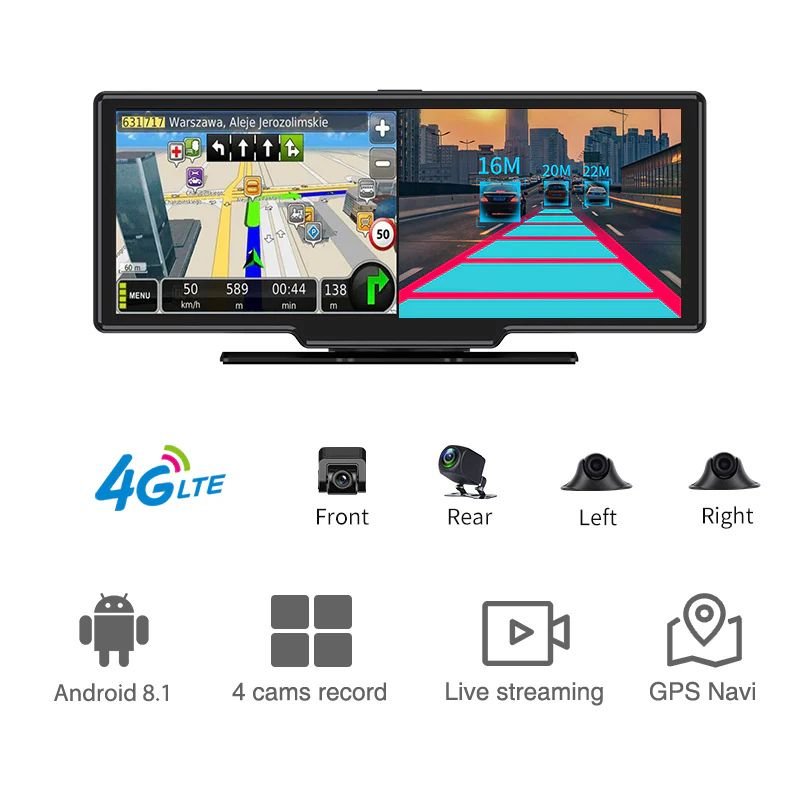
| Display Screen | 10.26-inch touch screen (1920×320P) |
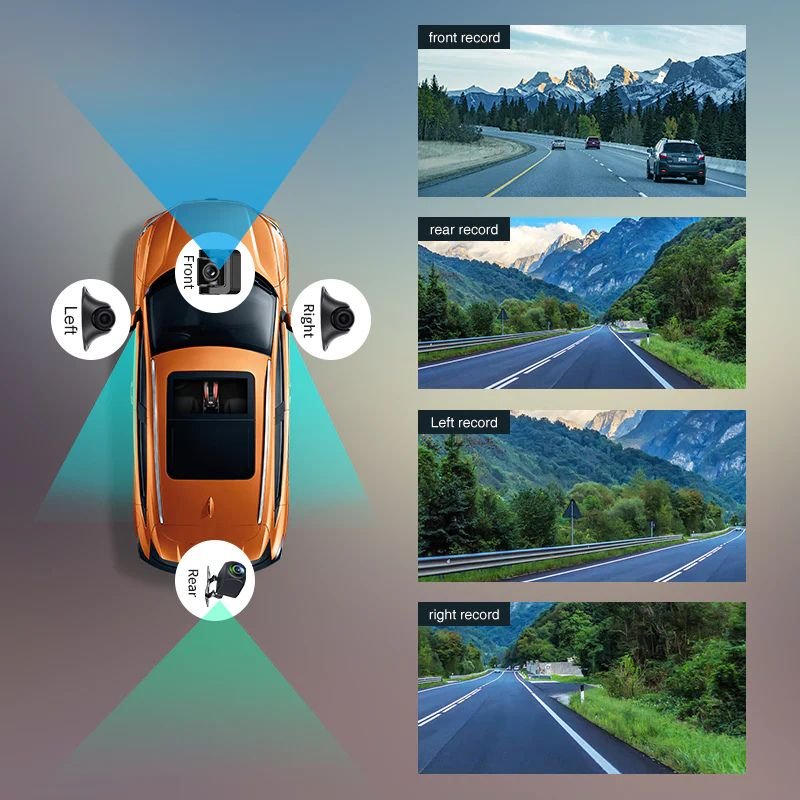
| Front Camera | 6G lens, 1280×720P@25fps, 135° view |
| Rear Camera | 6G lens, 1280×720P@25fps, 125° view |
| Left Camera | 6G lens, 1280×720P@25fps, 100° view |
| Right Camera | 6G lens, 1280×720P@25fps, 100° view |
| Split Screen | Yes, 4-camera display supported |
| Operating System | Android 8.1 |
| RAM/ROM | 2GB RAM + 32GB ROM |
| Built-in Wi-Fi | Yes, direct/hotspot for smartphone app |
| 4G Live View | Yes, FDD LTE B1/B3/B5/B8 |
| GPS Tracking | Yes, tracks vehicle path & navigation |
| ADAS & DMS | Yes, Optional |
| G-Sensor & Loop Recording | Yes, auto impact lock & continuous record |
| Night Vision | Yes, low-light clear recording |
| CMSV6 | Supported |
| Parking Monitoring | Yes, Temp-Park Motion Record |
| Reverse Assistance | Yes |
| Memory Card Support | 8GB–512GB TF Card |
| Power Interface | 9–36V |
| Installation | Dashboard mount via center console base |
| Dimensions & Weight | 34×16×11 cm, 1.75 KG |
In stock
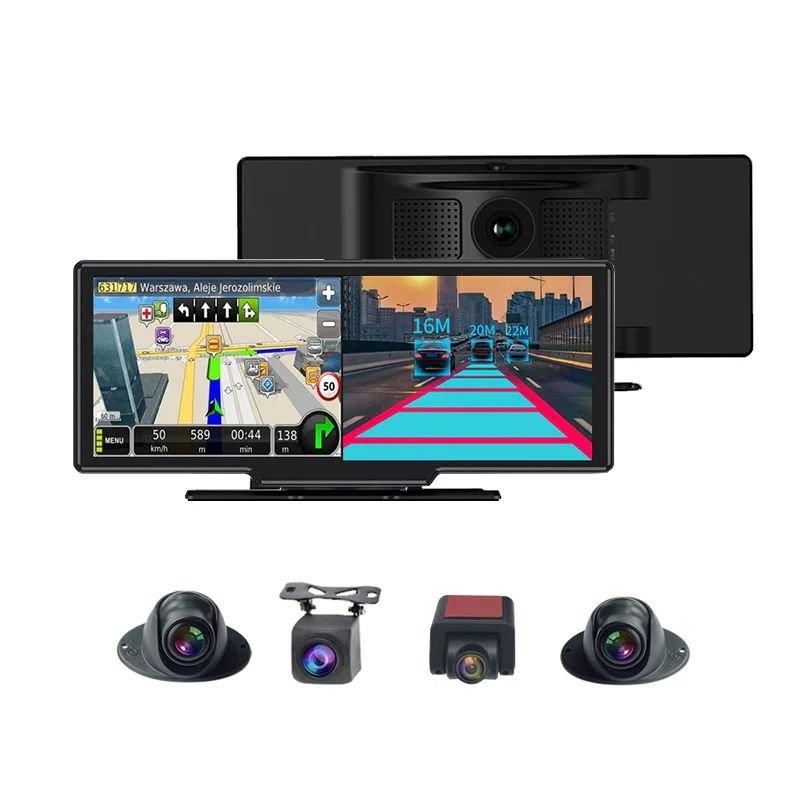
The D12 Dash Camera is not just a camera—it’s a full-fledged intelligent vehicle monitoring powerhouse designed for complete 360-degree surveillance, smart security, and enhanced in-car connectivity. With its large 10.26-inch touchscreen display and a total of four high-definition cameras (front, rear, left, right), this system transforms your car into a digital command center. Whether you’re managing a fleet or safeguarding your personal ride, the D12 empowers you with real-time 4G video, GPS-based tracking, and optional safety features like ADAS and DMS—all integrated into one sleek, multifunctional dashboard unit.
1. 10.26-Inch Full Touchscreen Display
Enjoy cinematic-level control with a massive 10.26-inch IPS touchscreen that offers a crisp 1920x320P resolution. The interface lets you view all four camera angles simultaneously through split-screen viewing, enabling real-time monitoring like a cockpit control system. Every function—video playback, camera switch, or settings—is just a swipe or tap away, making navigation intuitive and distraction-free while driving.
2. 4 HD Wide-Angle Cameras
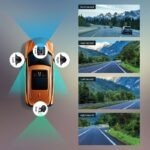
Equipped with four professional-grade HD cameras featuring 6G lenses, you get crystal-clear 720P recording at 25fps from every direction. The front captures at 135°, rear at 125°, and the sides at 100°, ensuring total blind spot elimination. Whether you’re on a busy highway or reversing into a tight spot, the system records every detail with sharp clarity—even license plates and lane markers.
3. 4G Live Streaming with GPS
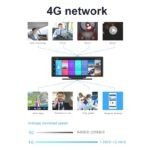
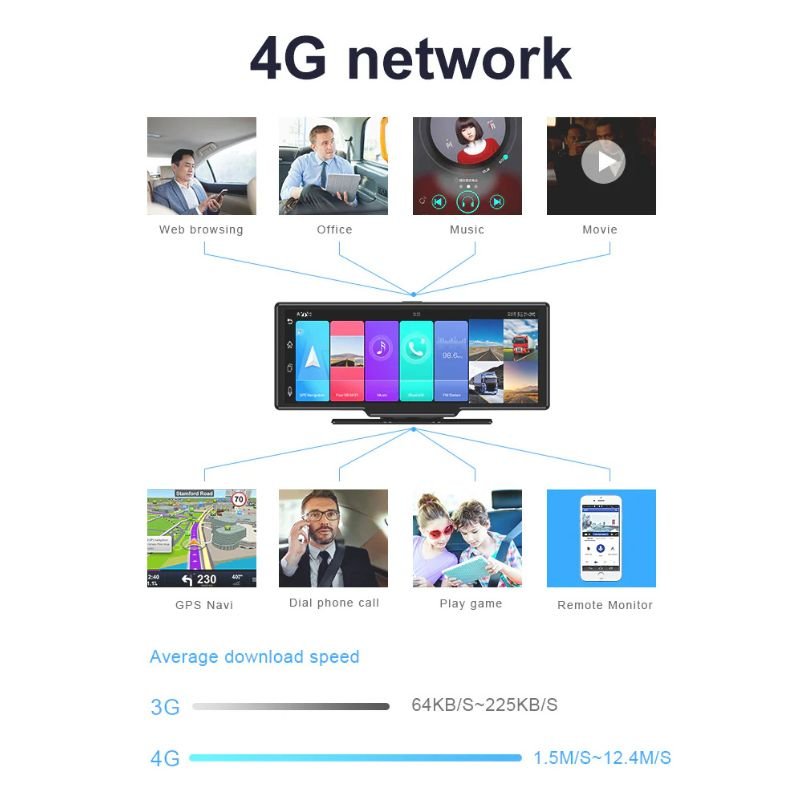
Stay connected with your vehicle from anywhere in the world. With built-in 4G support, you can access real-time video feeds and track your vehicle’s live GPS location. You also get route history, playback of past trips, and geo-fencing alerts. This feature is perfect for parents, business owners, and long-distance drivers who need total situational awareness on the go.
4. Built-in Wi-Fi & Android OS
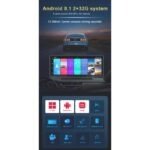
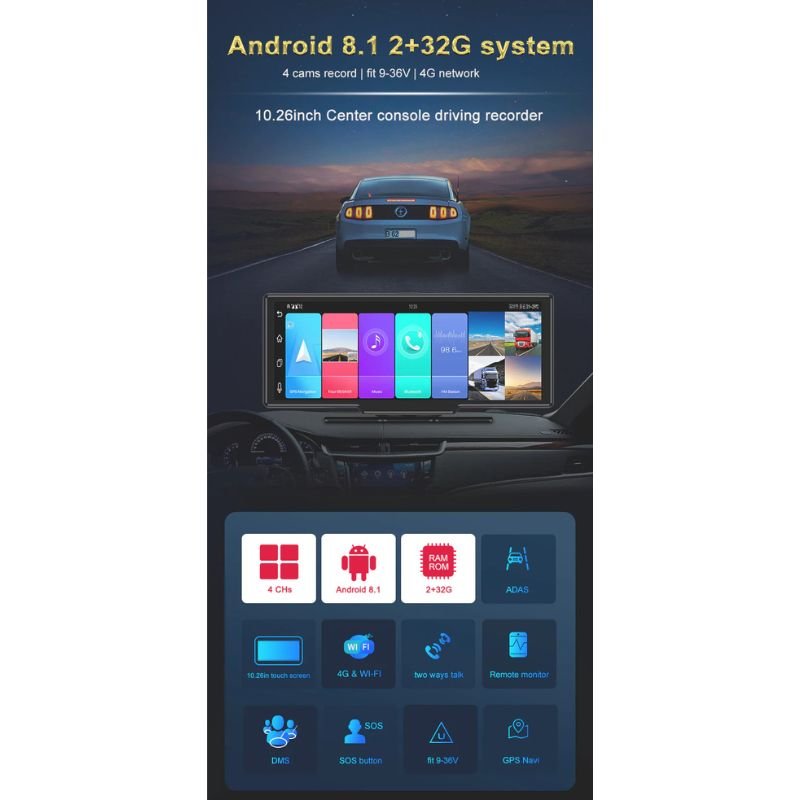
With Android 8.1 running under the hood and 2GB RAM + 32GB ROM, the D12 transforms into a smart dashboard device. Use the built-in Wi-Fi to connect directly or via hotspot and run apps like Google Maps or dash cam viewers. The interface behaves like a tablet, letting you install and use mobile apps without needing extra hardware or accessories.
5. ADAS & DMS (Optional)
Enhance safety with optional ADAS (Advanced Driver Assistance System) and DMS (Driver Monitoring System). ADAS can detect and alert lane departures, forward collisions, and unsafe distances, while DMS monitors driver behavior for signs of fatigue or distraction. Perfect for commercial vehicles, long trips, or parents monitoring young drivers for safer habits.
6. Advanced Parking & Reverse Monitoring
Even when the engine is off, the D12 is on alert. Temp-Park Motion Recording detects and records any movement around the parked vehicle, providing added security against theft or damage. The reverse camera system activates automatically, giving you a crystal-clear view with visual guidelines so you can back into tight parking spots or garages with total confidence.
7. Night Vision & G-Sensor Loop Recording
Low-light situations are no match for the D12. Its enhanced night vision captures fine details even in near darkness. The built-in G-sensor detects sudden impacts and automatically locks those video segments to prevent them from being overwritten. Paired with loop recording, you always have the latest footage without losing key incident files.
8. CMSV6 Platform Support
The D12 supports CMSV6, a cloud-based fleet management platform that allows remote access to real-time vehicle data, alerts, and video streams. You can manage multiple vehicles, communicate through intercom features, and receive instant alarms for predefined events. Ideal for logistics businesses, ride-hailing fleets, and professional operators seeking advanced oversight.
9. Expandable Storage & Rugged Design
With TF card support ranging from 8GB to a massive 512GB, the D12 has room for hours of high-definition footage. The rugged design withstands heat, vibration, and harsh driving conditions. Its broad 9-36V power input makes it suitable for all types of vehicles, from compact sedans to heavy-duty trucks and utility vans.
Mount the Camera Correctly on the Dashboard
Start by installing the D12 Dash Camera at the center of your car’s dashboard using the included center console base. Its compact and balanced size (34 × 16 × 11 cm) and solid weight (1.75 KG) ensure a stable hold while maintaining a discreet appearance. Carefully align it to ensure all four cameras have an unobstructed view for proper coverage. The positioning is key to enabling accurate recording and wide-angle monitoring.
Connect to the Vehicle’s Power Supply (9–36V Range)
Use the provided power cable to connect the camera system to your car’s electrical input. The camera supports a voltage range of 9–36V, which is compatible with most vehicles. Once powered, the device will boot up automatically. You’ll notice the LED indicators light up and the display screen turning on, ready to record and monitor.
Activate and Adjust All Four Cameras for Surround Recording
The D12 is equipped with four 720P cameras – front (135°), rear (125°), left (100°), and right (100°) – giving you complete 360-degree coverage. You can easily view and control the feeds on the large 10.26-inch touchscreen display with 1920*320P resolution. Select between individual or split-screen views to see what’s happening around your vehicle in real-time.
Insert TF Memory Card and Begin Recording
The system supports 8GB–512GB TF cards. Insert your memory card into the designated slot and activate loop recording. When storage is full, the camera will automatically overwrite old footage. For security, the G-sensor will lock important event footage to prevent it from being erased during loop recording. You can also save recordings manually through the screen interface.
Pair with CMSV6 App for Live Monitoring and Alerts
Download the CMSV6 app on your smartphone and connect it to the dash cam via 4G or built-in Wi-Fi. This will allow you to monitor the camera feed remotely, receive instant event notifications, and even use the intercom feature. The app supports multiple devices and users, making it especially useful for fleet monitoring or sharing footage with co-drivers or family.
Clean All Four Camera Lenses Regularly
Use a microfiber cloth to gently clean the front, rear, left, and right lenses. This ensures that your 720P video quality remains clear and sharp. Dirty lenses can lead to blurry or obstructed footage, defeating the purpose of having a multi-angle recording system.
Avoid Forceful Handling and Excessive Shifting
Since the device is mounted on your dashboard, avoid moving it frequently or placing heavy objects near it. Forceful shifts may cause camera misalignment, loose wiring, or internal system damage. Always recheck the angles if the unit is moved during cleaning or adjustments.
Keep Software and Apps Updated for Smooth Functionality
The D12 runs on Android 8.1, and software updates may be rolled out for improved features or security. Connect the device to Wi-Fi occasionally to check for OTA (over-the-air) updates. Keeping your system up to date ensures optimal performance, especially for the CMSV6 integration.
Protect the Device from Moisture and Extreme Conditions
While the D12 is robust, continuous exposure to extreme sunlight or moisture can degrade the screen or internal components. Use a sunshade for your dashboard when parked outdoors for long hours, and avoid using water-based cleaners around the device.
Format Your TF Card Every Few Weeks
To maintain a healthy memory cycle and avoid storage errors, format your TF card from the device settings every 2–3 weeks. This refreshes the loop recording function and helps prevent corrupted files. Make sure to back up any important footage before formatting.
Always Use the Recommended Voltage Input (9–36V Only)
Make sure your vehicle’s power input stays within the safe voltage range. Using a voltage converter or unstable power source can damage internal circuits and may void the product warranty. Double-check your car manual if unsure about your battery output.
Activate Safety Functions Like ADAS and DMS (if Supported)
Advanced Driving Assistance Systems and Driver Monitoring Systems can prevent accidents by alerting you to lane departures, drowsiness, or close vehicle proximity. If your D12 model has these features, enable them via settings for safer driving.
Never Adjust the Screen While Driving
Do not attempt to control the touchscreen or change camera views while your vehicle is in motion. This can distract you and lead to accidents. Instead, use voice assistance (if enabled), or pull over safely before making any screen changes.
Secure and Organize All Wiring
After installation, make sure the power cables and connection wires are neatly tucked away. Loose wires near foot pedals, gear levers, or steering wheels can pose a safety hazard. Use clips or holders to organize wiring for a clean and safe setup.
Turn on Parking Mode and G-Sensor for 24/7 Protection
The Temp-Park Motion Recording feature allows the camera to activate when it detects motion during parking. Combined with the G-sensor, it ensures any accidental bump or suspicious activity is recorded even when the car is unattended.
The D12 Dash Camera is the perfect solution for anyone looking to seriously upgrade their vehicle’s safety and surveillance system. Unlike basic dash cams that only record what’s ahead, the D12 offers a full 360-degree view using four ultra-wide cameras that monitor the front, rear, and both sides in HD clarity. The large 10.26-inch split-screen display provides real-time footage of every angle, making it a dream device for personal users, professional drivers, and fleet managers alike. With built-in GPS, live 4G remote viewing, and integration with the CMSV6 app, you’re always in control — whether you’re inside the car or miles away. The system is smart, intuitive, and packed with essential features like loop recording, reverse assistance, ADAS (if supported), and parking monitoring. From daily drives to long-haul trips, it gives you peace of mind with every turn. If you want a dash cam that works smarter, covers more, and lasts longer — the D12 is built just for you.
| Specification | Details |
|---|---|
| Display Screen | 10.26-inch touch screen with 1920×320P resolution |
| Front Camera Resolution | Front camera uses 6G lens, 1280×720P at 25fps, with 135° wide-angle view |
| Rear Camera Resolution | Rear camera is also 6G lens, 1280×720P at 25fps, with 125° view angle |
| Left Camera Resolution | Left-side cam with 6G lens, 1280×720P@25fps, 100° field of view |
| Right Camera Resolution | Right-side cam with 6G lens, 1280×720P@25fps, 100° field of view |
| Split Screen | Yes, supports display from all four cameras at once |
| Operating System | Android 8.1 system for smart operations and app compatibility |
| RAM/ROM | Comes with 2GB RAM and 32GB internal ROM for smooth operation |
| Physical Dimensions & Weight | 34 cm (L) × 16 cm (W) × 11 cm (H), total weight is 1.75 KG |
| Built-in Wi-Fi | Yes, supports direct or hotspot connection for smartphone app integration |
| 4G Live View | Supported; compatible bands: FDD LTE B1, B3, B5, B8 |
| ADAS & DMS | Supported; Advanced Driver Assistance System and Driver Monitoring (Optional) |
| GPS Tracking | Enabled; tracks vehicle route and movement history with navigation support |
| G-Sensor & Loop Recording | Yes, auto detects impacts and locks video; continuous loop recording |
| Night Vision | Advanced night vision support for clear low-light video |
| CMSV6 | Supports intercom, event alarm, and multiple device connectivity |
| Parking Monitoring | Supports Temp-Park Motion Recording for parking safety |
| Reverse Assistance | Yes, provides rear-view camera assistance while reversing |
| Memory Card Support | Supports TF card from 8GB up to 512GB capacity |
| Power Interface | Compatible with 9V to 36V vehicle power systems |
| Installation | Mounted on the dashboard using the center console base |

In stock
Add to cart
In stock
Add to cart
In stock
Add to cart
In stock
Add to cart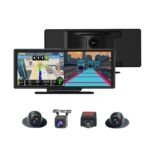
Reviews
There are no reviews yet.